Frequently Asked Questions
Product Information & Releases
What is Bluebricks and what does it do?
Bluebricks is an IaC-agnostic environment orchestrator that transforms Infrastructure as Code (IaC), configurations, and scripts into one-click, AI-agent ready environments. It simplifies and streamlines cloud infrastructure operations, enabling rapid, consistent environment creation and management across cloud and on-premises environments. [Source]
What are the latest features released by Bluebricks?
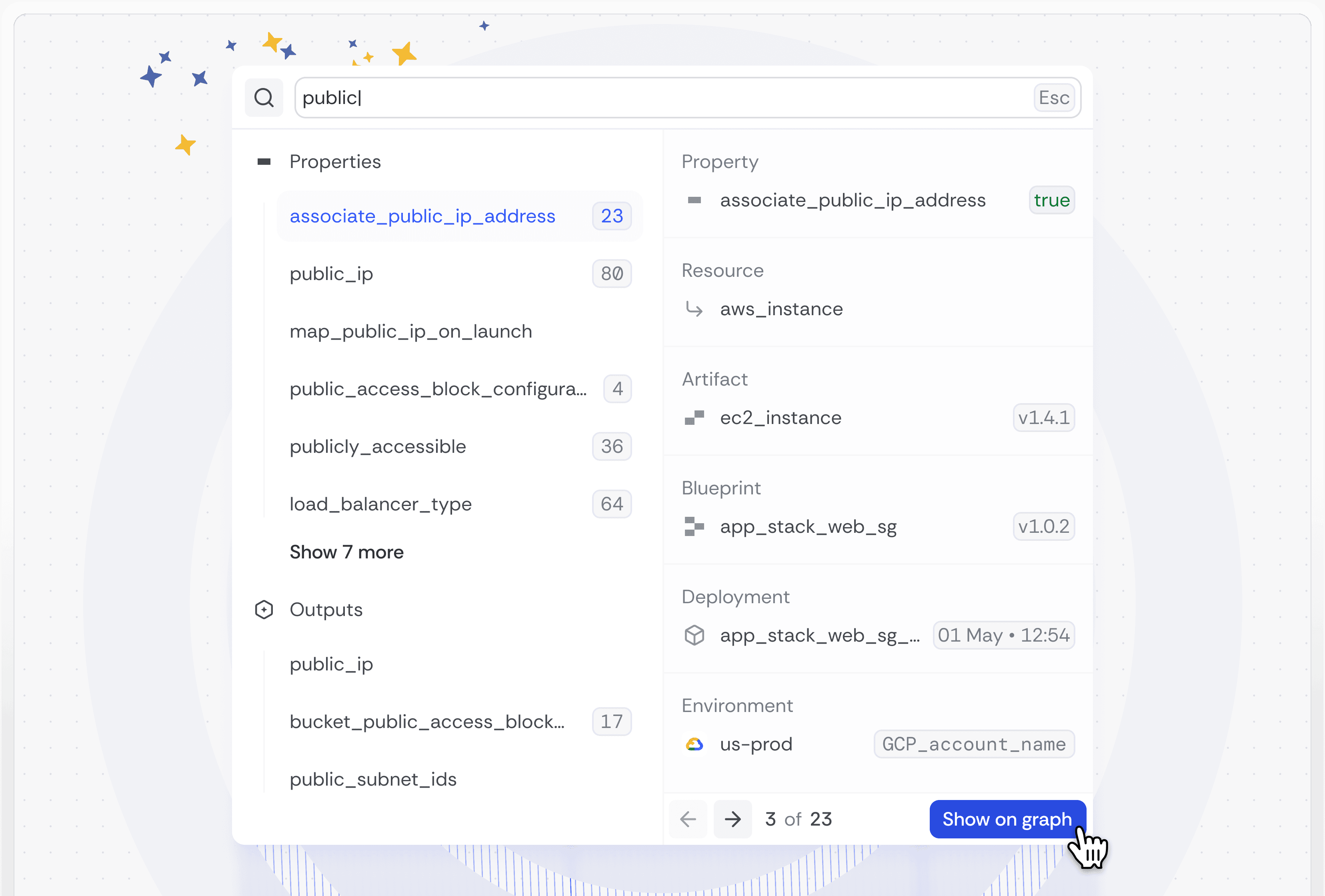
Recent Bluebricks releases include Cloud Graph Search for fast infrastructure navigation, Bricks Action for GitHub Actions integration, Semantic Relationships and Dependencies for blueprint management, enhanced deployment logs, environment property enforcement, self-hosted orchestrator configuration, automated blueprint and artifact updates via GitHub Action, live value reference copying in Cloud Graph, and the Cross-Cloud AI Agent for streamlined cloud migrations. [Source]
How does Cloud Graph Search improve infrastructure management?
Cloud Graph Search enables users to quickly navigate complex cloud environments and search for critical properties, acting as a personal infrastructure search engine. This feature increases operational efficiency by providing fast, integrated search across multiple properties. [Source]
What is Bricks Action and how does it integrate with GitHub?
Bricks Action is a GitHub Action that makes the Bluebricks CLI available within GitHub workflows. It enables seamless integration with code repositories, automatic IaC import into Bluebricks, and ensures separation of concerns for secure production deployments. [Setup Guide]
How do Semantic Relationships and Dependencies work in Bluebricks?
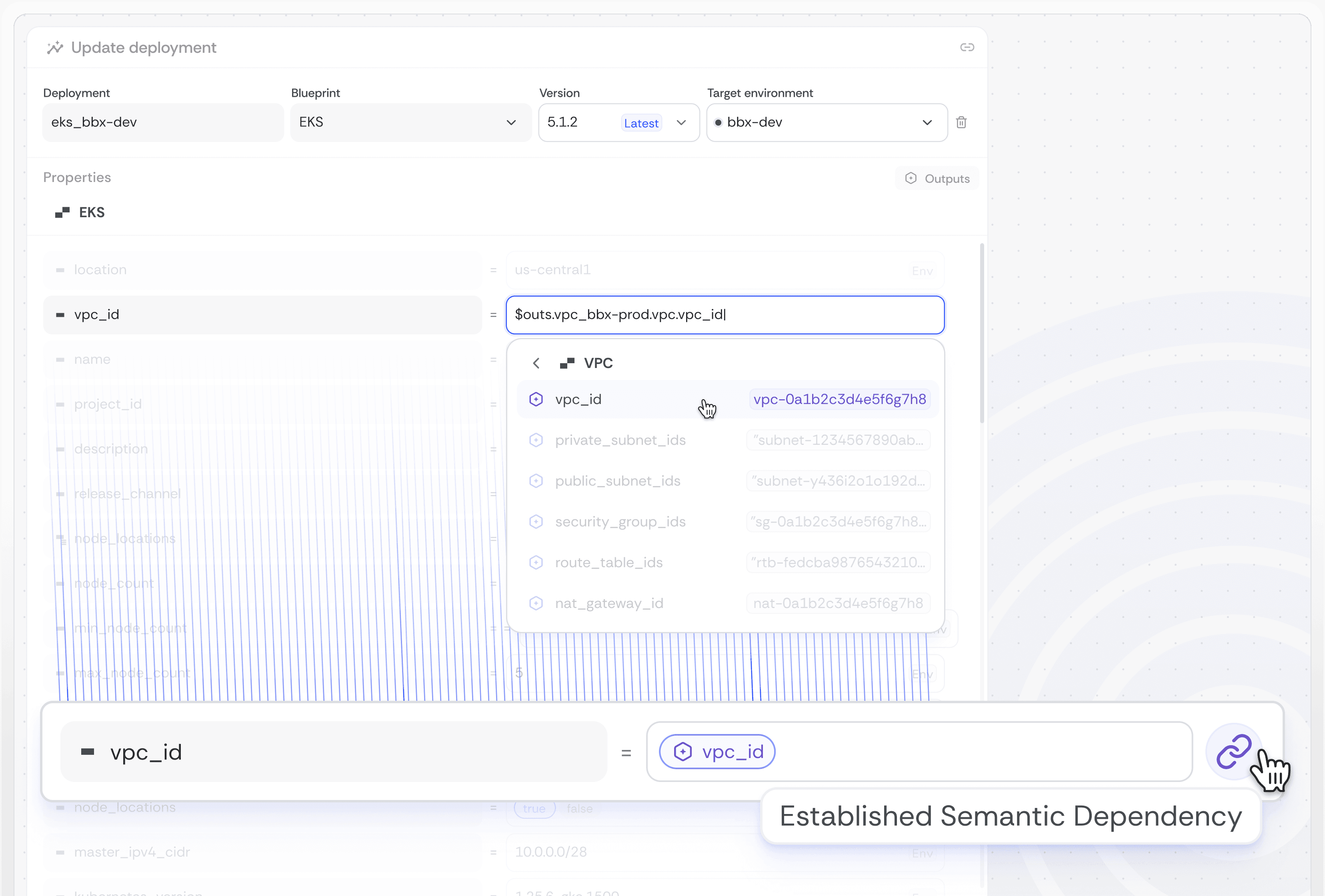
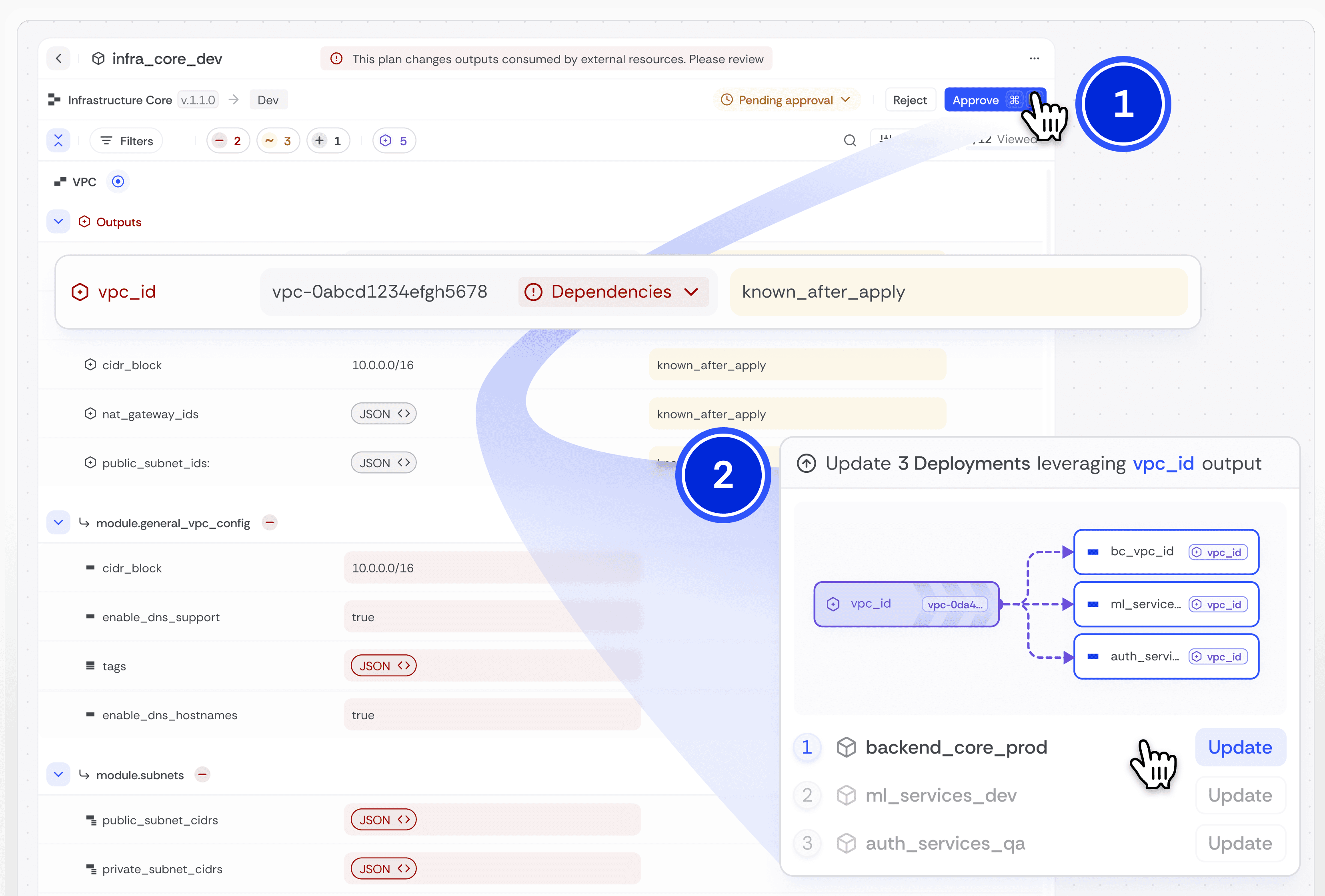
Semantic Relationships allow users to proactively connect resources during blueprint deployment. Assigning a Semantic Relationship ensures that changes in a source value automatically trigger reviews for linked targets, maintaining consistency. Semantic Dependencies, powered by Atomic Infrastructure™, let you set the output of one blueprint as the input for another, streamlining changes and reducing risk. [Learn More]
How does Bluebricks handle deployment logs and error notifications?
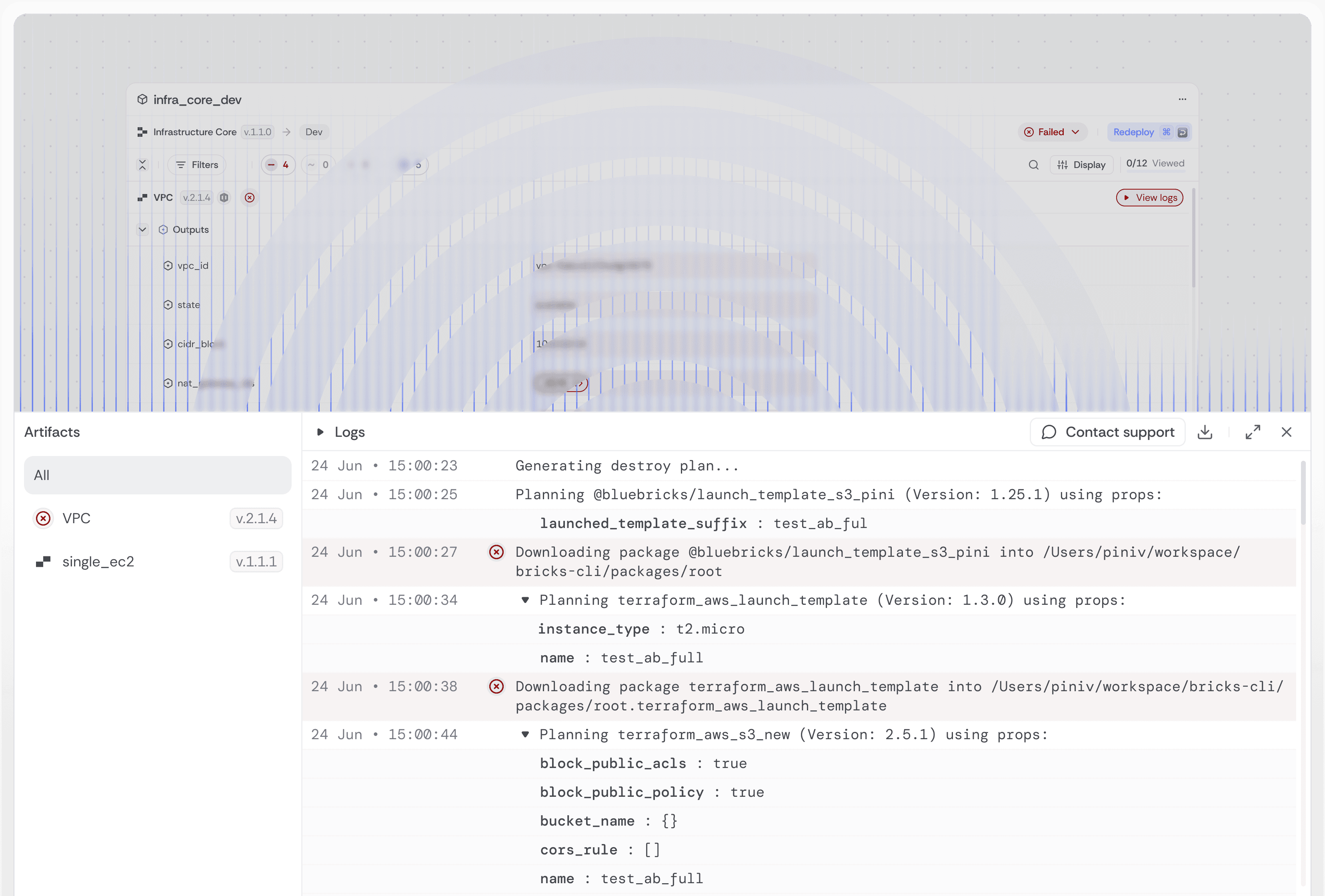
Bluebricks automatically notifies users of any failing deployment and provides runtime logs and error messages in a dedicated logs pane. This feature helps users quickly identify and resolve issues. The Logs pane is accessible on the “plan” page. [Deployments]
What is Environment Property Enforcement in Bluebricks?
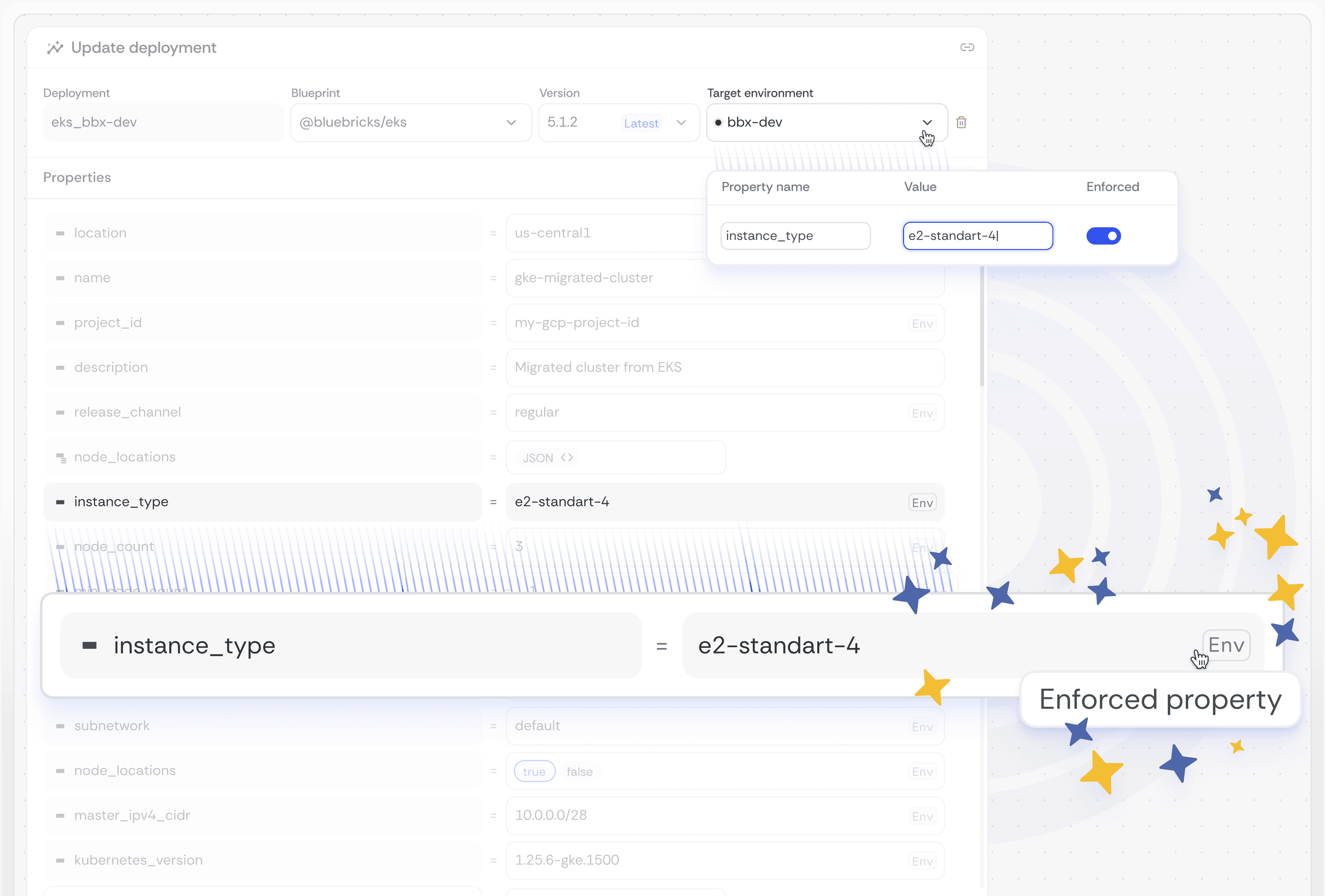
Environment Property Enforcement ensures that certain properties remain consistent across all deployments, protecting infrastructure from incorrect configurations that could cause security vulnerabilities, cost spikes, or compliance breaches. Enforced properties appear as read-only on the Deploy page. [Environment Properties]
How do I configure a self-hosted orchestrator in Bluebricks?
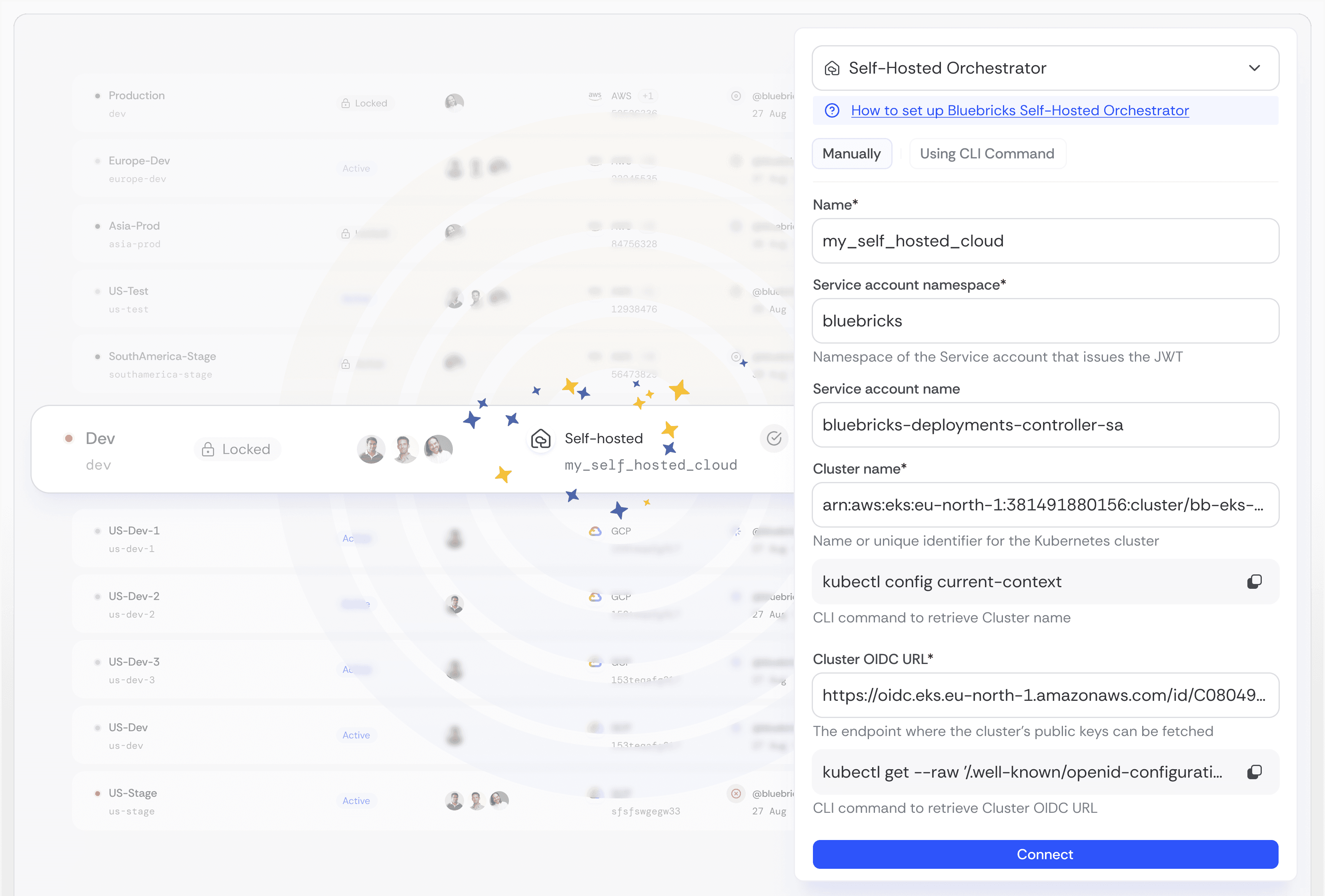
You can connect, disconnect, or create a self-hosted Orchestrator directly in the Bluebricks app. After installing the Bluebricks Orchestrator, go to the Environment page, click “New Environment,” and select “Self Hosted” to complete the setup. [Source]
How does Bricks Action automate blueprint and artifact updates?
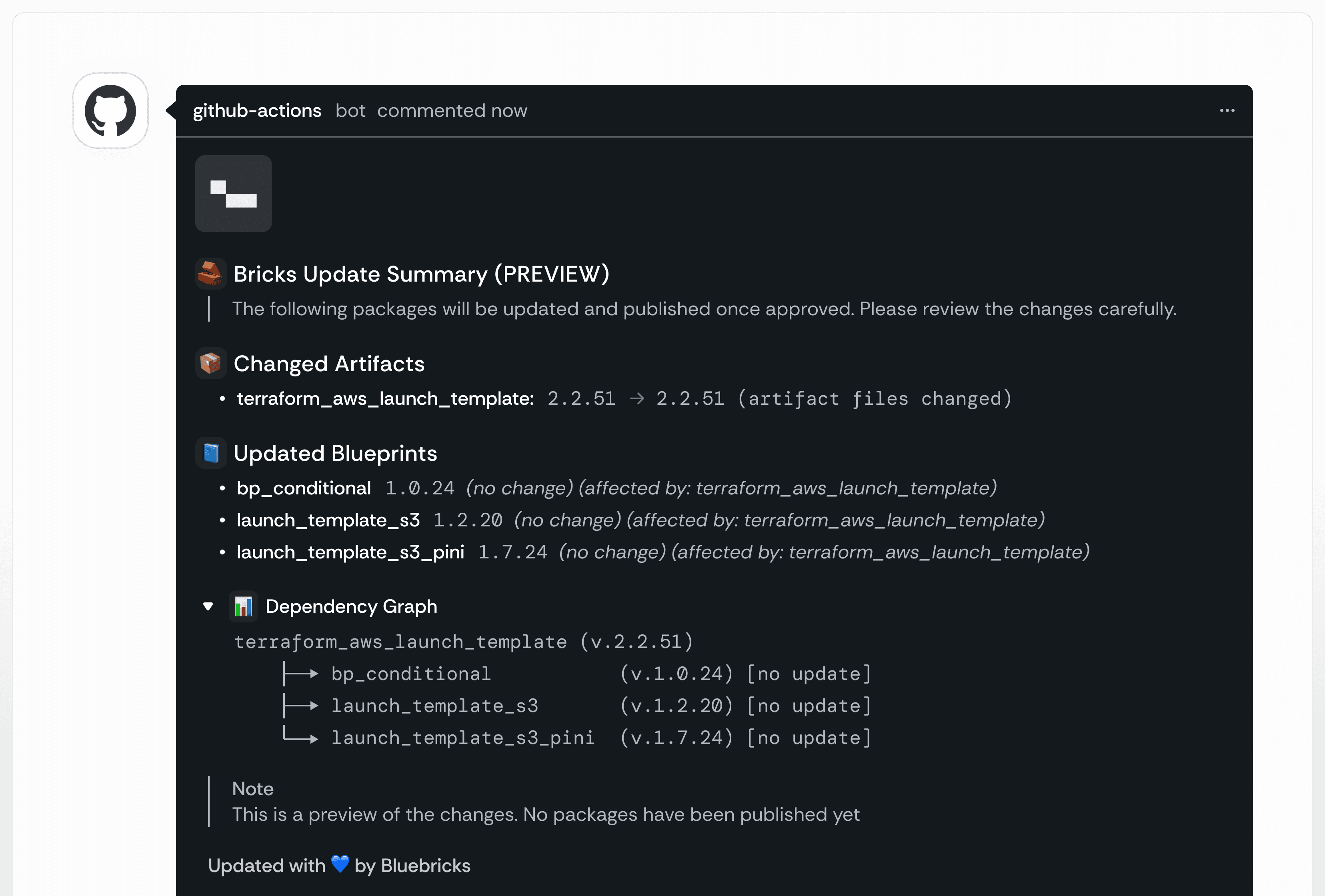
Bricks Action, a GitHub Action, automates version updates for Blueprints and Artifacts. It works with pull requests, shows previews, and updates packages automatically upon approval, keeping your Bluebricks registry in sync and reducing manual tracking. [Learn More]
How can I copy live value references from the Cloud Graph?
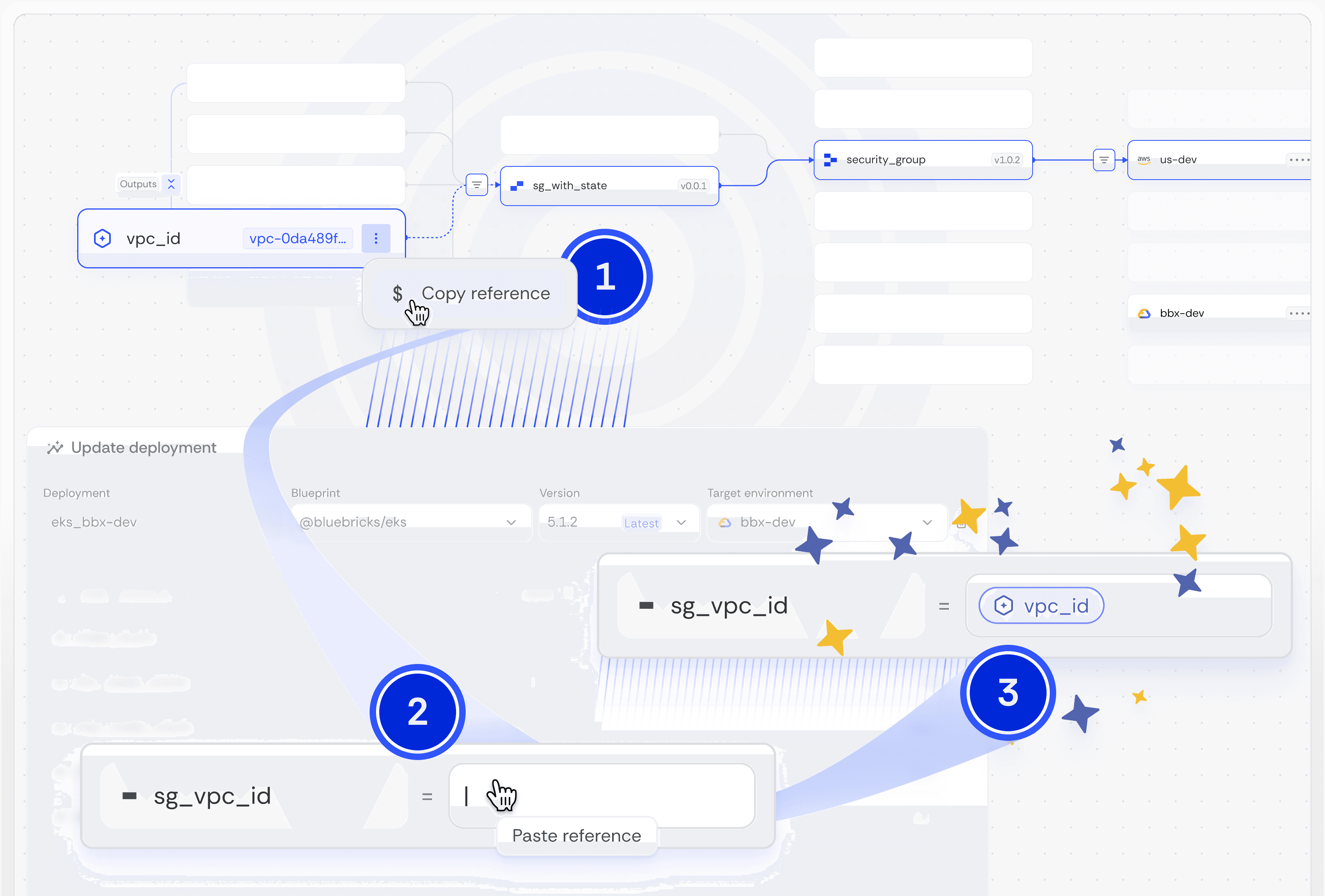
You can copy Live Value references directly from the Cloud Graph, making it easier to locate and use complex JSON states visually. Find the Live Value output you want to reference on the Cloud Graph and copy it as needed. [Cloud Graph]
What is the Bluebricks Cross-Cloud AI Agent?
The Bluebricks Cross-Cloud AI Agent combines an LLM model with an AI agent to streamline AWS, Azure, and GCP transitions. It uses blueprint-based standardization to reduce manual work and enables faster, AI-driven, optimized cross-cloud migrations. [Learn More]
How do I get started with new Bluebricks features?
Each new feature includes a setup guide or documentation link. For example, Bricks Action has a setup guide, and Semantic Relationships are explained in the documentation. Visit the Bluebricks Docs for comprehensive resources. [Docs]
Where can I find support or help for Bluebricks features?
For support, you can reach out via email at [email protected], access the technical documentation at docs.bluebricks.co, or explore the knowledge base at help.bluebricks.co.
How quickly can I implement Bluebricks and start using its features?
Bluebricks can be implemented in minutes, with most customers up and running in days. There is no requirement for existing Infrastructure as Code (IaC) coverage, making it accessible regardless of your current setup. [Source]
What technical documentation is available for Bluebricks?
Bluebricks provides comprehensive technical documentation, including an API reference, CLI installation guide, core concepts, knowledge base, and webhooks documentation. Access these resources at docs.bluebricks.co.
Does Bluebricks offer an API for automation?
Yes, Bluebricks provides a comprehensive API for programmatic access to its control plane. The API enables automation of environment management, blueprint deployment, status retrieval, and more. API documentation is available at bluebricks.co/docs/api/overview.
Features & Capabilities
What are the key features of Bluebricks?
Key features include one-click environment orchestration, Atomic Infrastructure™, Single Pane of Glass, Blast Radius Control, AI agent enablement, rapid deployment (up to 80% faster), reusable blueprints, built-in security and compliance, real-time observability, and developer self-service. [Source]
What integrations does Bluebricks support?
Bluebricks integrates with source code management systems (GitHub, Bitbucket, GitLab, Azure DevOps), Slack, major cloud providers (AWS, GCP, Oracle, Azure), and supports running CLI commands in GitLab CI/CD pipelines. [Slack Integration] [GitLab Integration]
How does Bluebricks support AI and automation?
Bluebricks provides deterministic context for AI agents to safely provision, scale, and manage cloud environments. It enables automation, generation, and remediation tasks, making environments AI-agent ready. [Source]
Does Bluebricks provide real-time observability?
Yes, Bluebricks offers real-time visual graphs of infrastructure topology, dependencies, operations, and status, providing unparalleled visibility for teams. [Source]
What security and compliance certifications does Bluebricks have?
Bluebricks is certified for ISO 27001, GDPR, and SOC 2, ensuring robust information security, data privacy, and compliance. For more details, visit the Trust Center.
How does Bluebricks enforce security and compliance?
Bluebricks is built with a 'Secure by Design' philosophy, supporting in-boundaries deployment, FIPS readiness, policy enforcement, RBAC, secrets management, audit trails, and centralized governance. [Trust Center]
What is Blast Radius Control in Bluebricks?
Blast Radius Control is a feature that minimizes risks during infrastructure changes, ensuring safer operations and reducing the likelihood of outages or misconfigurations. [Source]
How does Bluebricks support developer self-service?
Bluebricks provides a user-friendly interface and ready-to-use environments, enabling developers to create secure, standards-aligned environments without writing IaC code or context switching. [Source]
What is the pricing model for Bluebricks?
Bluebricks is licensed on a per-environment basis, ensuring clear and predictable pricing. For more details or a personalized quote, visit the pricing page.
Use Cases & Benefits
What problems does Bluebricks solve for DevOps and Platform teams?
Bluebricks addresses operational chaos, fragile pipelines, firefighting outages, and the complexity of managing requests from engineering, security, and FinOps teams. It consolidates tools and simplifies workflows, reducing operational overhead. [Source]
How does Bluebricks help with decentralized or edge environments?
Bluebricks simplifies the management of decentralized and edge environments with one-click orchestration, enabling faster setup and reducing the need for complex logic stitching. [Learn More]
How does Bluebricks improve developer productivity?
By providing ready-to-use environments and automating infrastructure tasks, Bluebricks allows developers to focus on creating software and delivering value, reducing delays and context switching. [Learn More]
What business impact can customers expect from using Bluebricks?
Customers can expect improved efficiency, faster deployment (up to 80% faster), cost optimization, enhanced developer productivity, robust business continuity, scalability, flexibility, and risk reduction through built-in compliance and Blast Radius Control. [Source]
Who can benefit from using Bluebricks?
Platform and DevOps teams, developers, organizations with decentralized locations, and enterprises concerned with compliance can all benefit from Bluebricks' streamlined workflows, self-service environments, and robust governance. [Source]
What industries are represented in Bluebricks case studies?
Bluebricks has case studies in the Film Production Industry. For more details, visit the case studies section.
Can you share customer success stories or testimonials?
Yes. For example, Regev Golan, Senior Director of Engineering at Check Point, said: “Infrastructure made simple — Bluebricks turned our cloud pipelines from complex to effortless.” Nati Aviv, Head of DevOps and Infrastructure, added: “Bluebricks changes the game. It brings a new model and a smarter way of working that stands above the rest.” [Case Studies]
Who are some of Bluebricks' customers?
Bluebricks is trusted by leading teams including Checkpoint, Hibob, Milestone, Naviteq, Nutanix, Ness, and Gable. [Source]
Competition & Comparison
How does Bluebricks compare to Terragrunt?
Unlike Terragrunt, which only works with Terraform, Bluebricks supports multiple IaC tools, offers a user-friendly interface, full lifecycle orchestration (including Day-2 operations), centralized governance, real-time observability, and AI/ML enablement. [Comparison]
How does Bluebricks compare to Crossplane?
Bluebricks works with existing IaC tools (Terraform, Helm, etc.), provides native automation for Day-2 operations, tool-agnostic workflow orchestration, centralized governance, and a real-time observability graph. Crossplane requires rewriting infrastructure and lacks these features. [Comparison]
Why choose Bluebricks over alternatives?
Bluebricks stands out with tool-agnostic workflows, full lifecycle orchestration, ease of use, centralized governance, real-time observability, AI/ML enablement, quick setup, and Blast Radius Control. These features address the needs of platform teams, developers, and enterprises concerned with compliance. [Comparison] [Comparison]
What are the advantages of Bluebricks for different user segments?
Platform and DevOps teams benefit from simplified workflows and faster deployments. Developers gain self-service UI and ready-to-use environments. Organizations with decentralized locations can manage edge environments easily. Enterprises benefit from centralized governance and compliance. [Source]