> For the complete documentation index, see [llms.txt](https://bluebricks.co/docs/llms.txt). Markdown versions of documentation pages are available by appending `.md` to page URLs; this page is available as [Markdown](https://bluebricks.co/docs/integrations/slack.md).
# Slack
Talk to the Bluebricks agent from Slack, get rich link previews, and approve runs without leaving your workspace
## Overview
The Slack integration lets you talk to the Bluebricks agent, preview run details, and approve or reject deployments directly from your workspace. Once connected, the agent is available in any channel or direct message.
## Talk to the agent
Mention **@Bluebricks** in any channel or send a direct message to start a conversation. The agent is powered by the same engine as the [web UI](/docs/agent/agents-overview.md), so you can ask about infrastructure, discover resources, open pull requests, and manage environments from Slack.
```
@Bluebricks which S3 buckets in production are publicly accessible?
```
```
@Bluebricks deploy the postgres blueprint to staging
```
The agent responds in-thread. While it works, Slack shows a "Working on it..." status indicator.
### Thread behavior
Each Slack thread maps to one agent task. The agent remembers recent conversation history within a thread, so follow-up questions work naturally.
When you reply in an existing thread, the agent includes the last 20 non-bot messages as context. This means it can reference earlier discussion between team members, not just its own responses.
{% hint style="info" %}
Starting a new Slack thread creates a new agent task. If you want to continue a previous conversation, reply in the original thread rather than starting a new one.
{% endhint %}
### Multi-user conversations
Any member of your Bluebricks organization can participate in the same Slack thread. The agent uses organization-level access, so multiple team members can ask questions and request actions in the same conversation.
Each participant's permissions are checked individually. If a team member lacks the required permissions, the agent will not respond to their messages.
### Differences from the web UI
The agent in Slack is powered by the same engine, but the Slack interface has some differences:
| Feature | Web UI | Slack |
| ---------------------------------- | ----------------------------------------------------- | --------------------------------- |
| Agent capabilities | Full | Full |
| Reasoning trace and tool-call logs | Visible (expandable thinking block and tool-call log) | Not shown (status indicator only) |
| Collection scoping | Select specific collections per task | All organization collections |
| Task management (rename, archive) | Yes | No |
| Message feedback (thumbs up/down) | Yes | No |
## Link previews and environment actions
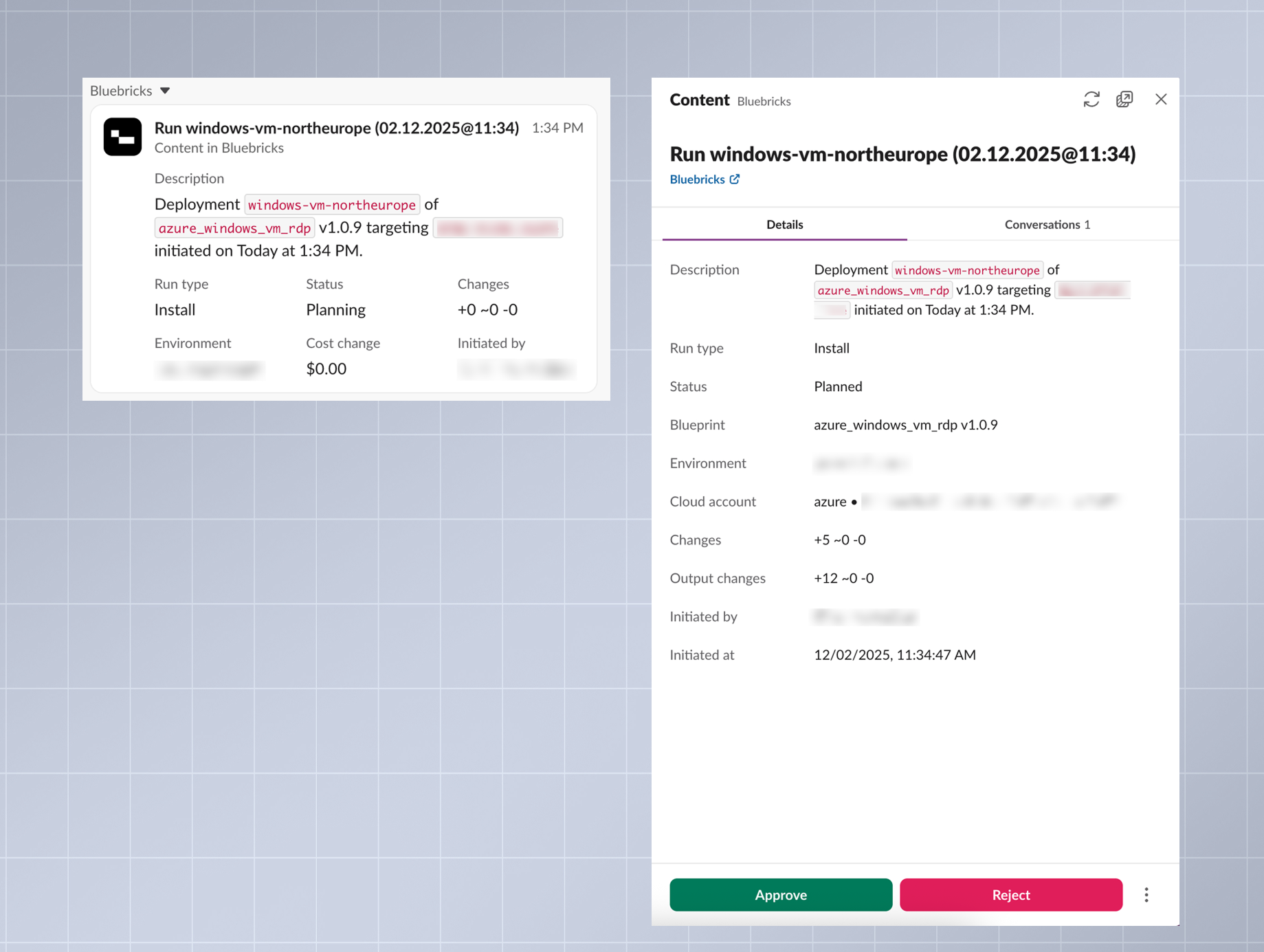
When someone shares a link to a Bluebricks run (e.g., `app.bluebricks.co/plans/...`), the integration displays a rich preview with:
* Run type and status
* Collection name
* Resource changes
* Cost impact (if available)
* Who initiated the run
Clicking the preview opens a **sidebar** with the full run details, including blueprint, collection, cloud account, resource changes, cost estimation, and review status. If the run is waiting for approval, the sidebar shows **Approve** and **Reject** buttons so you can act without switching to the browser.
{% hint style="info" %}
Approving or rejecting a run from Slack requires the deployment performer permission, which is a higher level than the deployment reader permission needed to use the agent.
{% endhint %}
## How to connect Slack to Bluebricks
An admin can enable the Slack integration from the Bluebricks web app.
{% stepper %}
{% step %}
#### Open integration settings
Go to **Account Settings** > **Integrations** > **Slack** and click **Enable**.
{% endstep %}
{% step %}
#### Choose your workspace
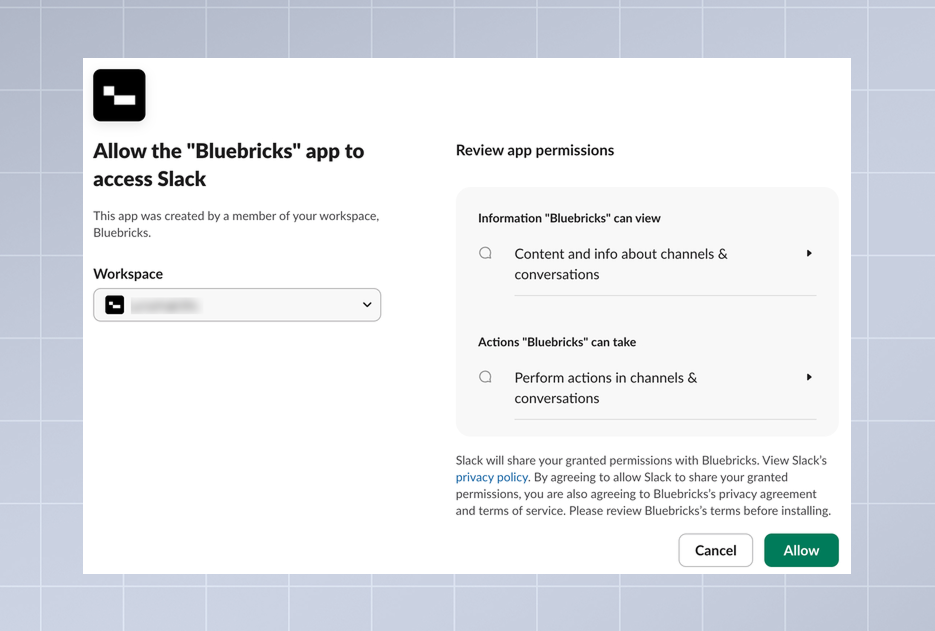
A popup opens with the Slack OAuth flow. If you belong to multiple Slack workspaces, select the one you want to connect.
{% endstep %}
{% step %}
#### Authorize the integration
Click **Allow** to grant Bluebricks access to your workspace.
{% endstep %}
{% endstepper %}
Once installed, the agent responds to mentions and direct messages immediately. Link previews activate automatically for any message containing a Bluebricks run link.
{% hint style="info" %}
No additional per-channel or per-user configuration is needed. Any organization member with the required permissions can interact with the agent.
{% endhint %}