Environment Hibernation Can Save 36% of Your Cloud Bill. Here's How You Do It

Ever been told to turn off the lights when you leave a room? Or maybe you're that person who goes around the house and turns the lights off?
Now imagine that every time you turned the lights off, the wiring disappeared. You'd have to rebuild it just to turn the light back on again. If that were the case you'd leave the lights on, all the time.
That's basically what happens with your cloud environments today.
Why are cloud environments always on?
Turning cloud resources on and off is pretty much a mainstay of platform engineering, but doing this for entire environments and across many environments is not trivial.
Turning entire environments on and off isn't simple because environments are made up of many interdependent cloud resources with complex relationships, not just isolated instances.
Each environment is a web of interconnected cloud resources such as networks, IAM roles, storage and compute that rely on one another. Shut them down in the wrong order, and you risk breaking dependencies, desynchronizing Terraform state, or losing data. Across multiple environments, accounts, or clouds, this becomes a coordination nightmare.
So most teams take the easy way out: they just leave the lights on.
But what if we could scale down the environment so that costs will be cut, but still leave it provisioned, so its state and configuration are preserved? In this way, environments can be instantly resumed when needed.
That is what environment hibernation (or environment scheduling) is all about.
So why isn't everyone hibernating environments?
Most cloud tools can stop or turn machines off, but to really hibernate environments you would still need to automate accurate change by understanding dependencies, state, and the safe order of operations.
Without this, you would be running "the risk of change": State files may become corrupted or desynchronized, making redeployment unreliable or unsafe. You also risk configuration drift when environments are manually rebuilt, leading to inconsistencies between what's deployed and what's defined in code.
In some cases, critical data or persistent volumes could be lost if not properly excluded from destruction. In short, unmanaged destruction can break dependencies, corrupt state, and make future runs unstable or insecure.
That's why people just keep the lights on - to avoid the risk that is inherent in destructing and re-provisioning.
In fact, environment hibernation can only be done when you can orchestrate environments at the environment level, and when you are able to do this in a policy driven way, by determining schedules, approvals, and modes (full uninstall vs. lightweight pause).
Aren't AWS instance schedulers enough?
The AWS Instance Scheduler is useful — but it stops at the instance level. It doesn't understand dependencies, Terraform state, or team policies. It can't:
- Orchestrate multi-resource environment
- Respect dependency order (e.g., EBS before EC2)
- Preserve state or IaC awareness
- Apply approvals or team-based logic
For true savings, you need environment-level scheduling, not just resource-level automation.
Real-world savings: 36% cloud cost reduction
Let's go back to the question of whether this can actually save cloud costs.
One of our customers runs 13 AWS environments: One production, twelve non-prod (development and QA). Their monthly AWS bill was around $85K. The non-prod environments ran 24/7, even though they were used only during business hours.
Across time zones, these environments sat idle for about 36% of the week, including nights and weekends. By applying lifecycle policies, they hibernate at night, scale down on weekends, auto-uninstall when not needed and they manage to save $150K–$180K annually!
Production stayed untouched.
Other cases where environment scheduling makes sense
Environment hibernation also shines in scenarios like:
- Nightly builds: Spin up ephemeral test environments and hibernate after tests complete.
- Timed workloads: Trigger environments for scheduled pipelines or benchmarks.
- Sandbox expiration: Auto-delete environments after inactivity.
- Compliance-driven shutdowns: Force non-prod environments offline after hours in restricted regions.
Making environment scheduling work with Bluebricks
Bluebricks is an environment orchestration platform that transforms Infrastructure-as-Code, configuration tools, and scripts into reusable, versioned environment blueprints, ready to be delivered by Agents.
Bluebricks lets teams deliver complex production-ready environments with just one click, regardless of the underlying configuration, IaC, and cloud. Teams use Bluebricks to quickly deploy regional and edge environments, prepare for business continuity, serve developers, and most importantly, have environments move faster and better.
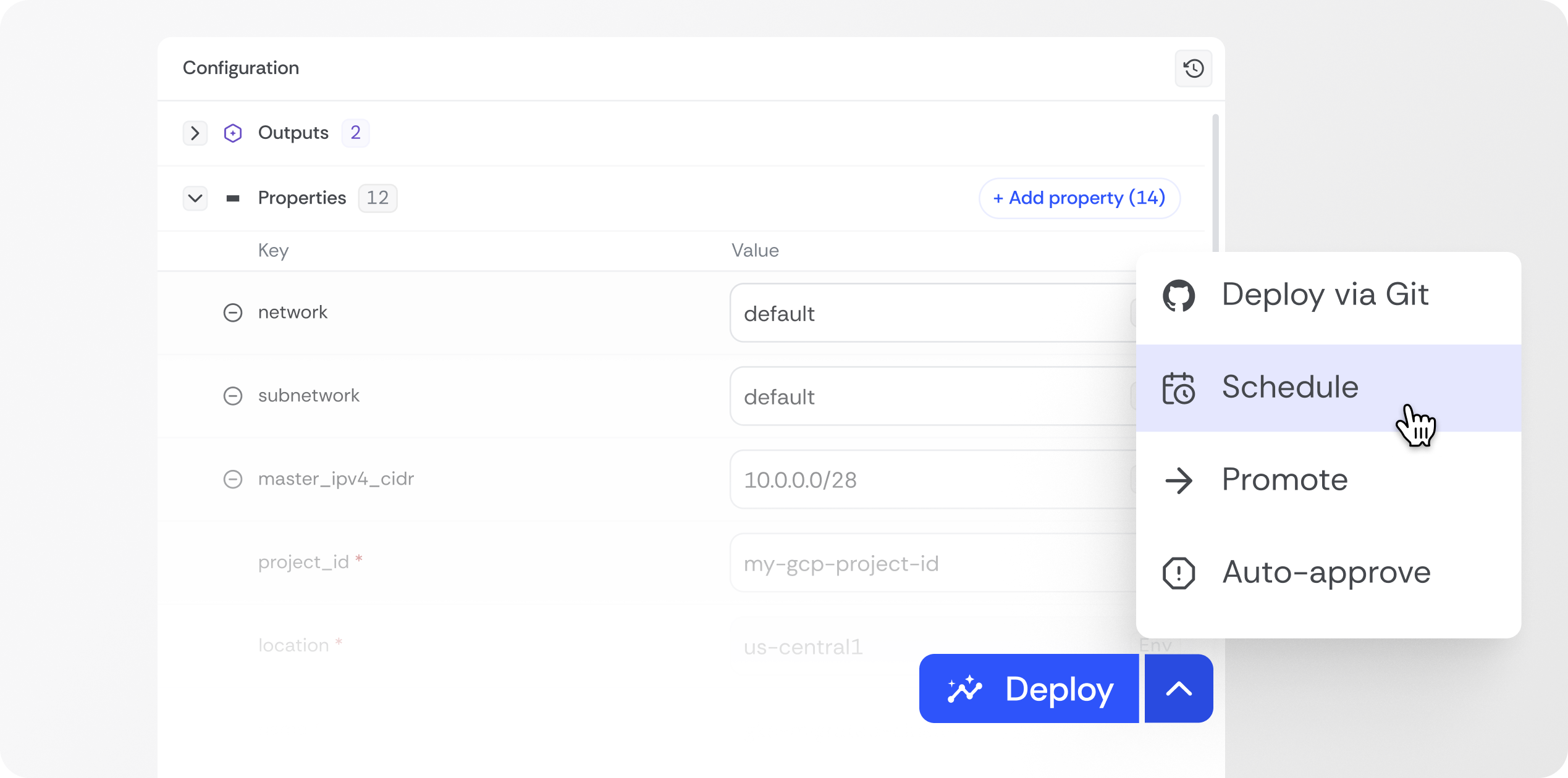
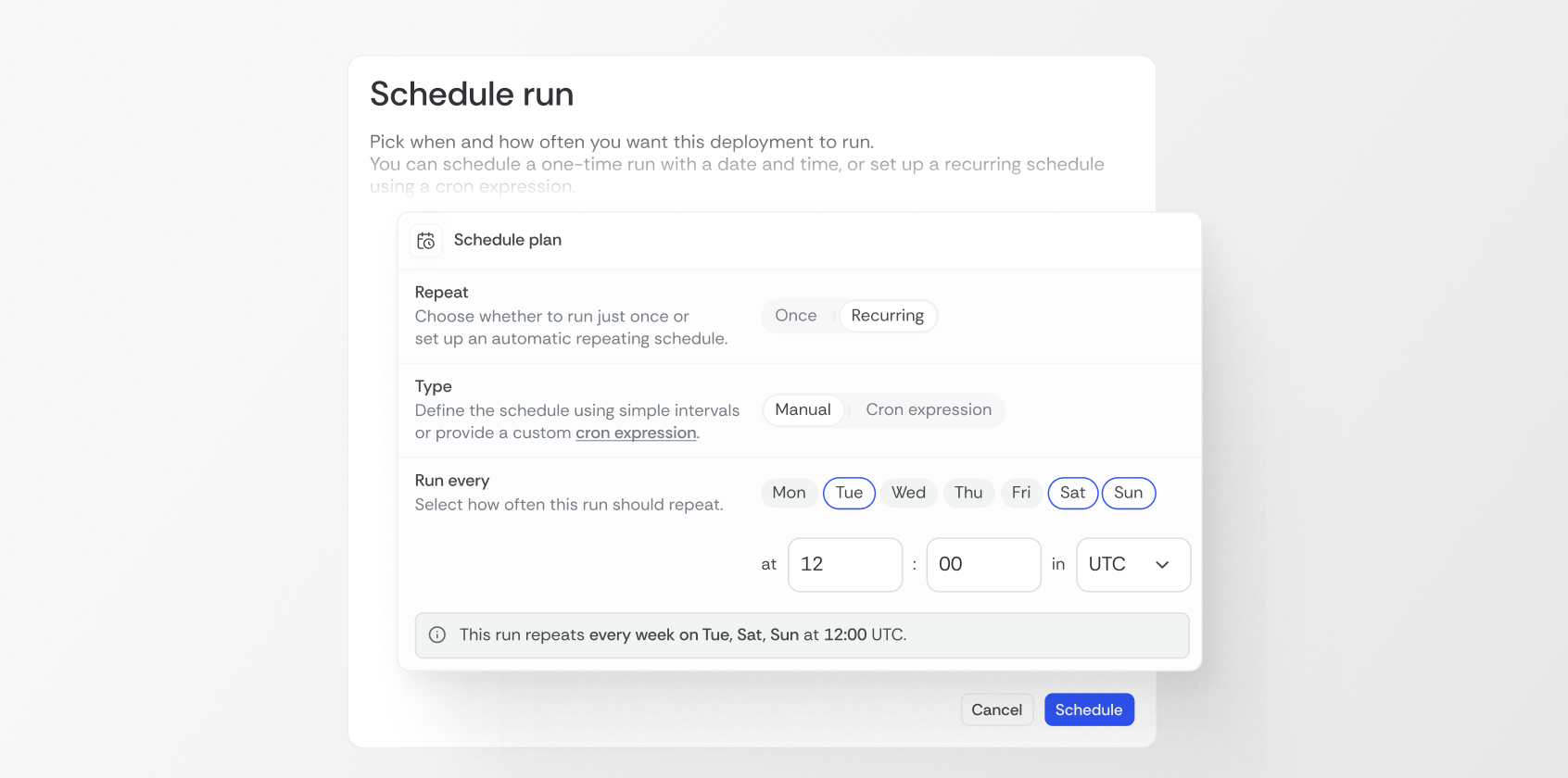
Bluebricks has a job scheduler that allows users to run different configurations for their cloud environments at different times. This allows setting what configurations should be for a given cloud environment and when those changes need to be made. It allows for the suspension of cloud resources, at scale, while preserving their state for quick recovery.
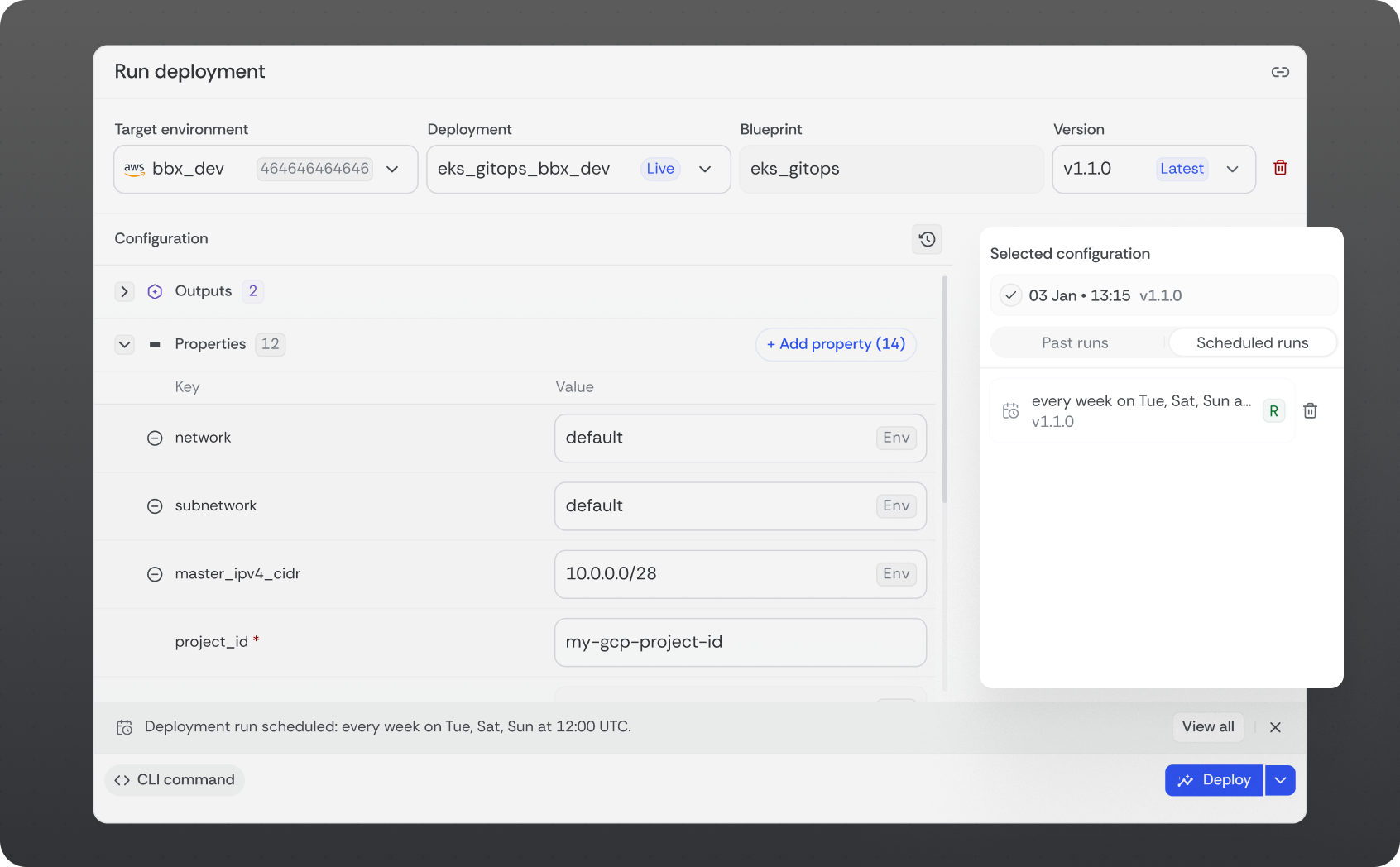
This is what the run deployment screen allows: the scheduling options appear on the right hand side of the screen.
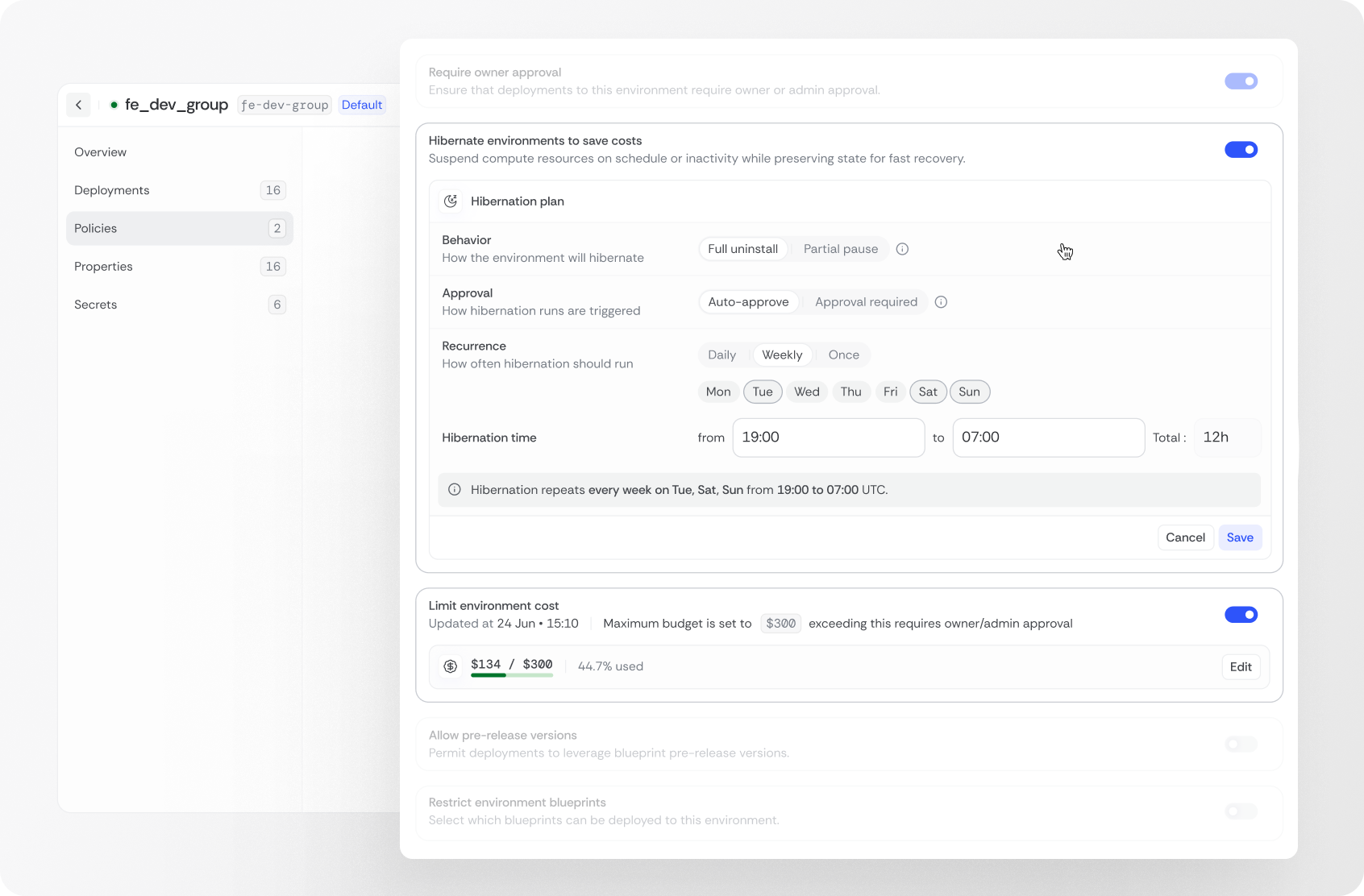
And here you can see what actions can be easily defined in Bluebricks' user interface:
- You can define whether environment scheduling/hibernation requires the owner's approval
- You can define whether scheduling will result in a full uninstall or a partial pause and
- Whether runs will be auto-approved or will require pre-approvals
- Additionally, you can set cost limits and other policies around your environments
Conclusion
Turning off idle environments should be as natural as turning off the lights in an empty room. Environment hibernation makes that possible, and with Bluebricks, it's automated, policy-driven, and safe.
You save money, reduce waste, and keep every environment ready to wake up instantly.