# Webhooks
Webhooks are user-defined HTTP callbacks or event notification mechanisms that allow applications to send real-time information to other systems when specific events occur.
They enable seamless communication between systems by automatically triggering an HTTP request to a specified URL whenever the defined event takes place.
Webhooks are highly effective tools for automating workflows, integrating services, and providing updates without the need for constant polling.
## Scopes and Events
Bluebricks provides hooks related to environments within defined scopes. Webhook events are tied to environments, such as `environment:created` and `environment:updated`, while scopes serve as contextual triggers.
At Bluebricks, there are three types of scopes: collections, blueprints, and environments. Developers can register a webhook for each scope to receive notifications when an environment is created or updated.
#### Examples
If a developer wants to be notified when a new environment occurs in the production collection, the event would be `environment:created` with the scope type set to `collection` and its value, `production`.
In this case, the developer will receive notifications for **any** **new** environment taking place in `production`.
On the other hand, if the developer registers for both events; `environment:created` and environment`:updated`, they will receive notifications for **any** environment event (creation or update) occurring in the `production` collection.
{% hint style="info" %}
The events are agnostic to the environment intention and include modifications, deletions, or even no-change actions.
{% endhint %}
### Required Permission Scopes
Managing webhooks on Bluebricks requires users to have the following permission scopes:
* `create:webhook`
* `update:webhook`
* `delete:webhook`
### How to Create a Webhook Subscription
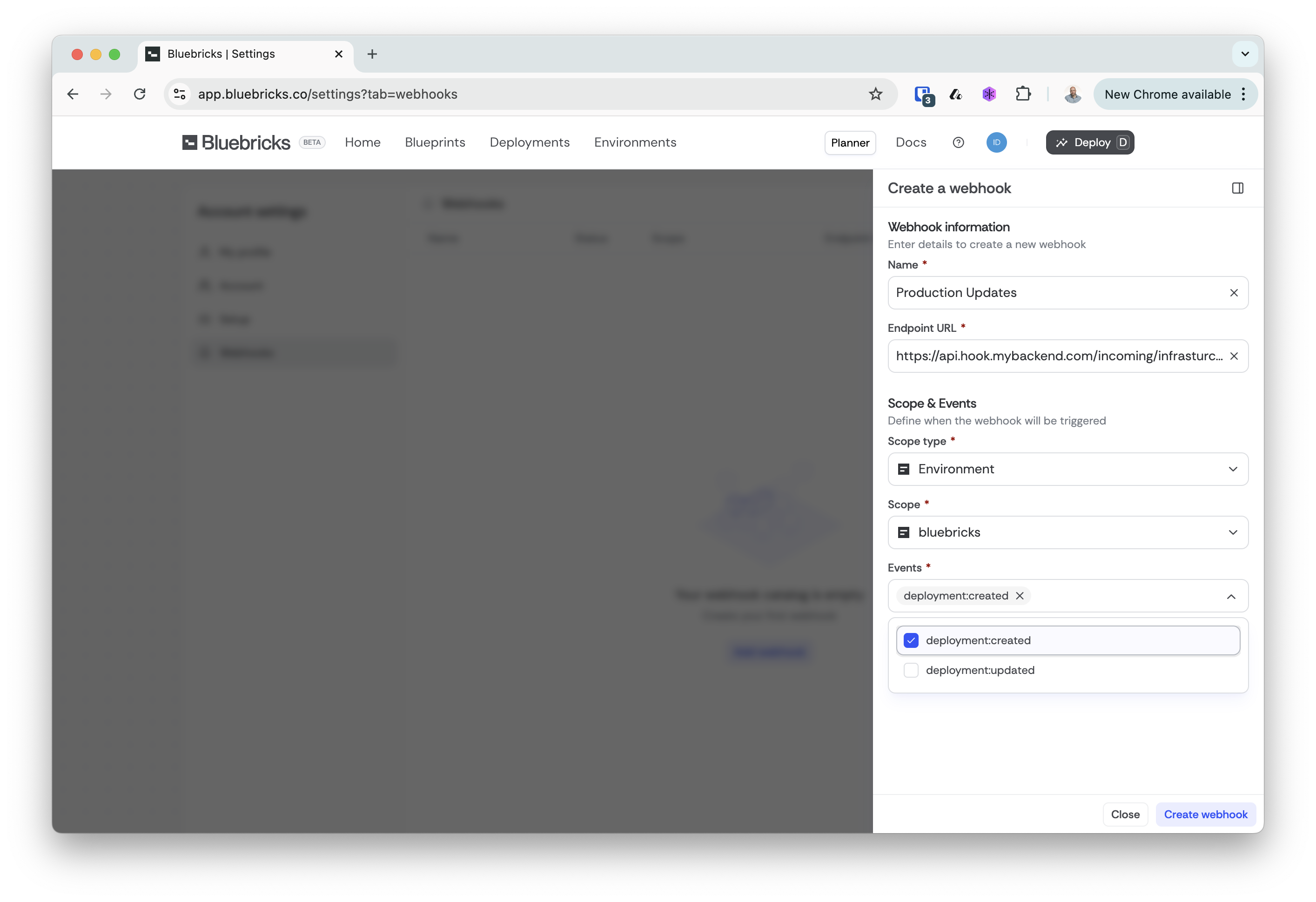
Webhook subscriptions can be managed through the [Bluebricks API](https://github.com/bluebricks-dev/Bluebricks-Documentation/blob/main/workflows/broken-reference/README.md) or directly via the [Bluebricks App](https://app.bluebricks.co). Follow the below steps to create your first webhook subscription:
1. [Open the Account Settings Page and select the Webhooks tab](https://app.bluebricks.co/settings?tab=webhooks)
2. Click the Add Webhook button on the top right corner of the pane
3. Choose a name, set a URL, and choose Scope object and Events
4. Click the Create Webhook button at the bottom left corner of the sidebar
### Scope Types
#### Collection
The collection scope type ensures that notifications are triggered for any environments and updates within the selected collection, regardless of the blueprint. Use this scope type to track changes across the collection holistically.
#### Blueprint 🔜
The blueprint scope type triggers notifications based on environments of a specific blueprint. Use this type if you want to be notified whenever a specific blueprint is deployed or modified.
#### Environments
The environment scope type ensures that notifications are triggered for any updates to a specific environment. Use this scope type to track changes related to a particular environment.
### Events
#### `environment:created`
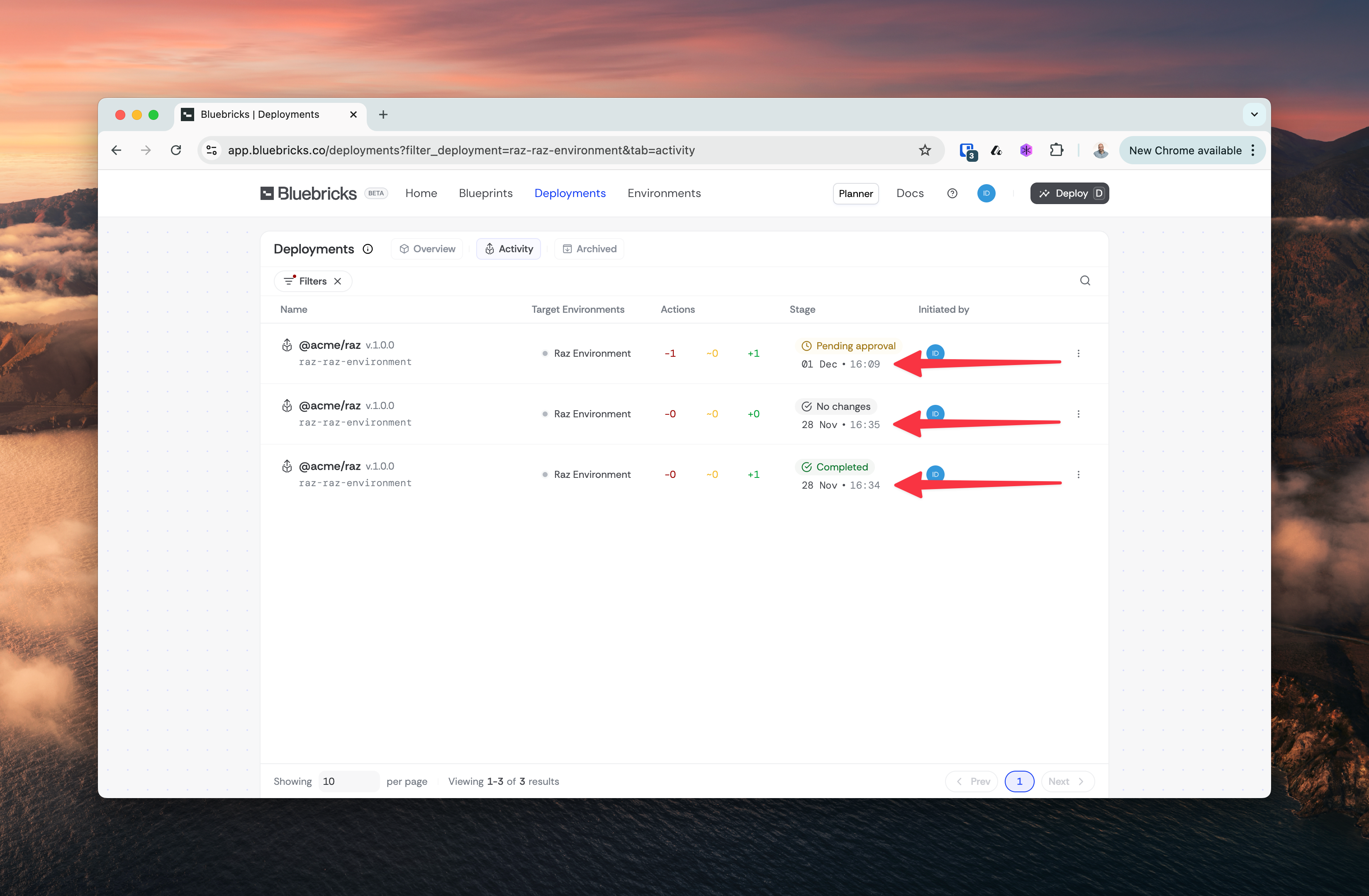
The `created` event is triggered each time a new environment activity occurs.
For example, this event will be triggered when a developer deploys a blueprint for the first time and each time they deploy an update to an existing one.
Bluebricks will call the webhook for each activity without tracking its progress or reporting its outcome (see red arrows below):
### `environment:updated`
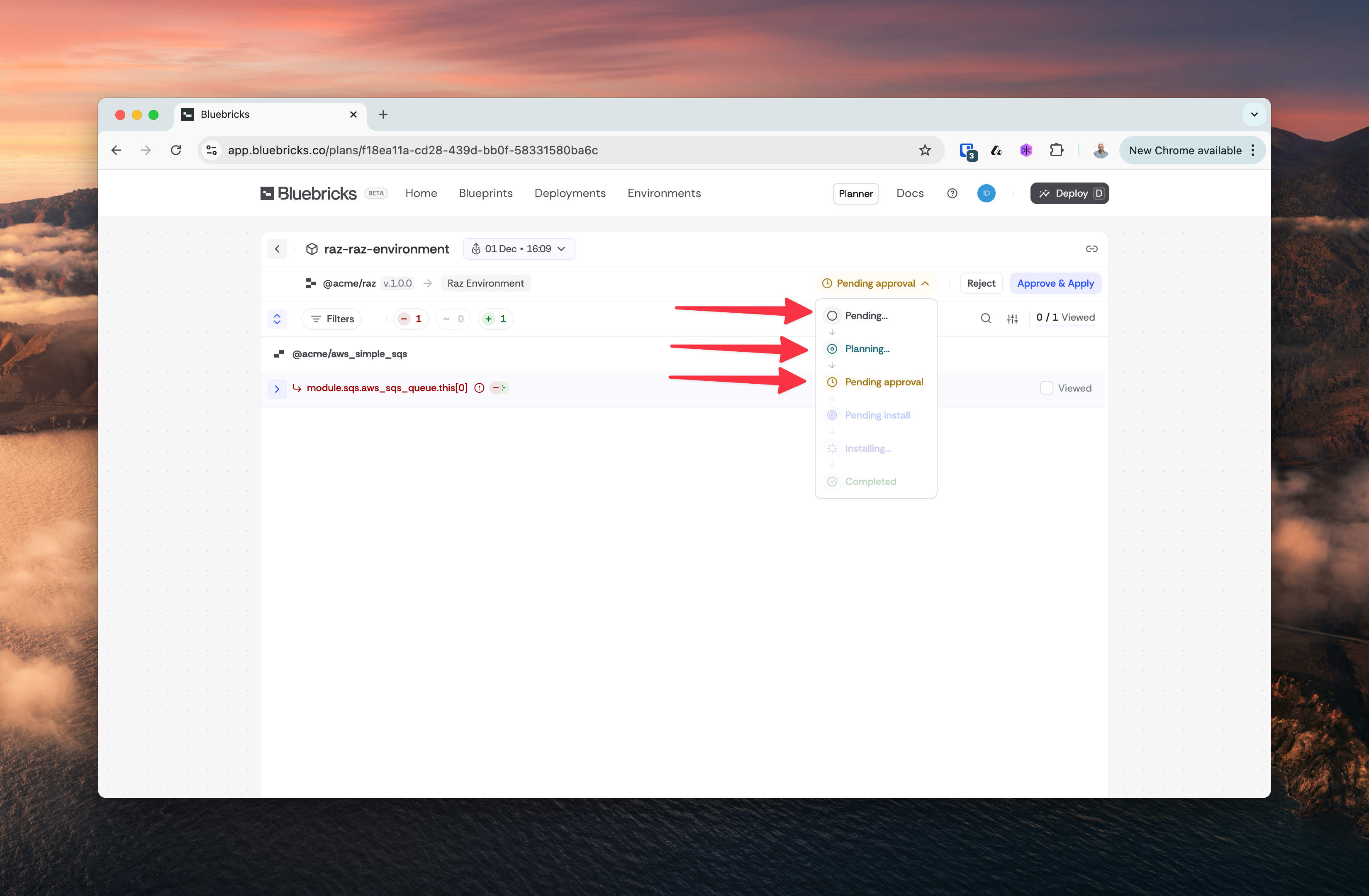
The `updated` event is triggered for every change in the environment lifecycle, excluding its creation. By subscribing to `environment:updated`, developers will receive notifications for the following events:
| Event | Key | Description |
| -------------------- | --------------- | ------------------------------------------------------------------------------------------------------------ |
| Planning | `planning` | Whenever Bluebricks begins predicting upcoming changes in the cloud and generates a environment run plan. |
| Waiting for Approval | `planned` | This is an optional event, dependent on the configuration set during the initiation of the environment run. |
| Plan Approved | `plan_approved` | |
| Installing | `installing` | The active phase of the environment run, during which Bluebricks implements changes in the cloud collection. |
| Completed | `completed` | Triggered when the installation is successfully completed, and all changes have been implemented. |
| Canceled | `canceled` | Triggered when the environment run is canceled by an authorized user. |
| No Changes | `no_change` | Triggered, typically after the planning stage, when Bluebricks detects that no changes are required. |
#### Payload Example
```
{
"type": "environment:updated",
"webhook": {
"id": "80df0bf0-4b05-4c96-9216-ec5057a71da2",
"scope": "organization",
"scope_id": "org_e5Oh1aexw4OUDZmd"
},
"blueprint": {
"qualified_name": "@bluebricks/eks_core",
"version": "1.12.0"
},
"environment": {
"id": "2a151a4b-874b-46d8-8f34-a803c80a69fe",
"slug": "bluebricks-eks-api-core-us-west-1",
"created_at": "2025-03-02T11:39:36.585Z",
"initiated_by": {
"name": "Jane Doe",
"email": "jane@example.com"
},
"reviewed_by": null,
"changes": {
"stage": "planned",
"archived": null
},
"plan_url": "https://app.bluebricks.co/plan/2a151a4b-874b-46d8-8f34-a803c80a69fe",
},
"collection": {
"id": "4145de0d-bfc4-4df9-a067-c6f06d8f4fb0",
"slug": "staging-us",
"name": "Staging Env / US",
"created_at": "2025-02-04T14:36:57.960Z"
},
"organization": {
"id": "org_e5Oh1aexw4OUDZmd",
"slug": "Bluebricks",
"name": "bluebricks"
}
}
```