> For the complete documentation index, see [llms.txt](https://bluebricks.co/docs/llms.txt). Markdown versions of documentation pages are available by appending `.md` to page URLs; this page is available as [Markdown](https://bluebricks.co/docs/orchestration/runs/using-outputs-references.md).
# Using Outputs References
Use the outputs of one environment as inputs for another to compose modular, cross-layer infrastructure architectures
## Overview
Output References in Bluebricks allow you to use the outputs of one environment as inputs for another. This creates a powerful way to compose infrastructure across layers, enabling teams to build modular architectures where higher-level environments automatically consume values produced by foundational or shared environments.
By linking environments through output references, Bluebricks ensures consistency, reduces duplication, and provides a clean interface for passing cross-collection or cross-service dependencies, such as network configurations, credentials, resource identifiers, or endpoints.
## How Output References Work
Each environment exposes its outputs once a run completes successfully. These outputs can be referenced directly as inputs in another environment’s configuration. Bluebricks ensures:
* **Automatic resolution** of referenced outputs during run execution
* **Type-safe and consistent value propagation** across collections
* **Easy change management** by automatically tracking related resources
This turns each environment into a reusable building block that can feed data into any number of dependent environments.
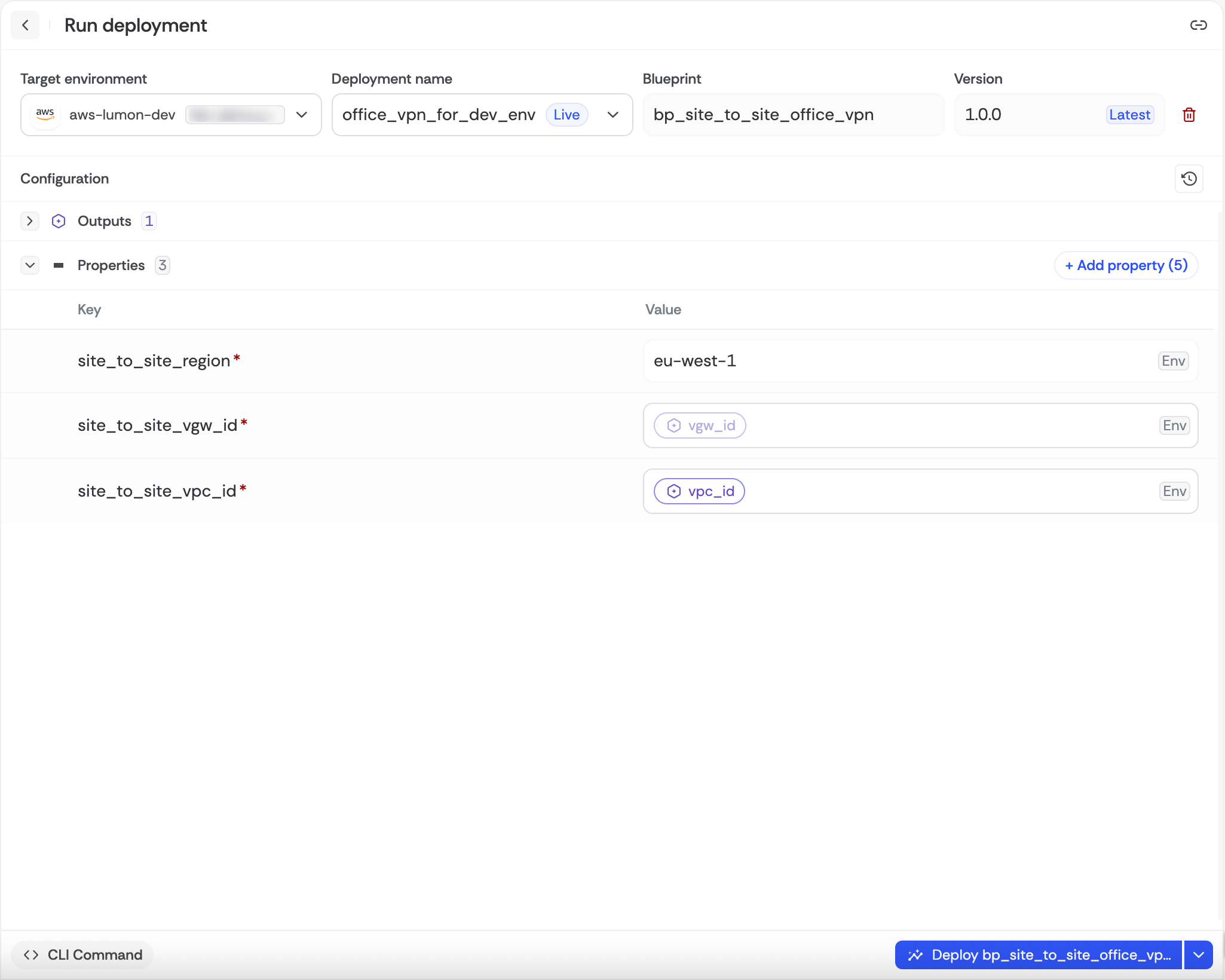
Environment page with output references of vgw_id and vpc_id
Cloud graph showing related resources
## Common Use Cases
#### **1. Shared “Master” Resources**
A common pattern is creating a core set of foundational resources (such as networking, IAM, logging, or shared services) and exposing their outputs so they can be consumed by multiple downstream environments.
Examples include:
* Using a central VPC or subnet ID for many application environments
* Providing a shared security group or firewall rule set
* Passing common monitoring or logging endpoints
* Using a globally managed KMS key or identity provider
This ensures consistency across teams and collections while avoiding duplication of foundational resources.
#### **2. Cross-Account Security Dependencies**
Output references also make it straightforward to establish secure relationships between different cloud tenants. This is particularly useful for organizations implementing multi-account architectures, security boundaries, or centralized governance models.
Examples include:
* Passing IAM role ARNs from a security account to workload accounts
* Sharing KMS keys or encryption settings between isolated accounts
* Providing resource identifiers needed for cross-account trust or permissions
* Coordinating shared identity providers, signing keys, or audit pipelines
By using output references, you ensure that these sensitive dependencies remain explicit, discoverable, and centrally managed.
## Benefits of Output References in Bluebricks
Bluebricks enhances the output-reference workflow with:
* **Native dependency management**: get alerted when there is change to dependent resource
* **Automatic output resolution**: removing the need for manual copy-paste or scripting
* **Strong separation of concerns**: foundational and application layers are decoupled