# CloudFormation

## Overview

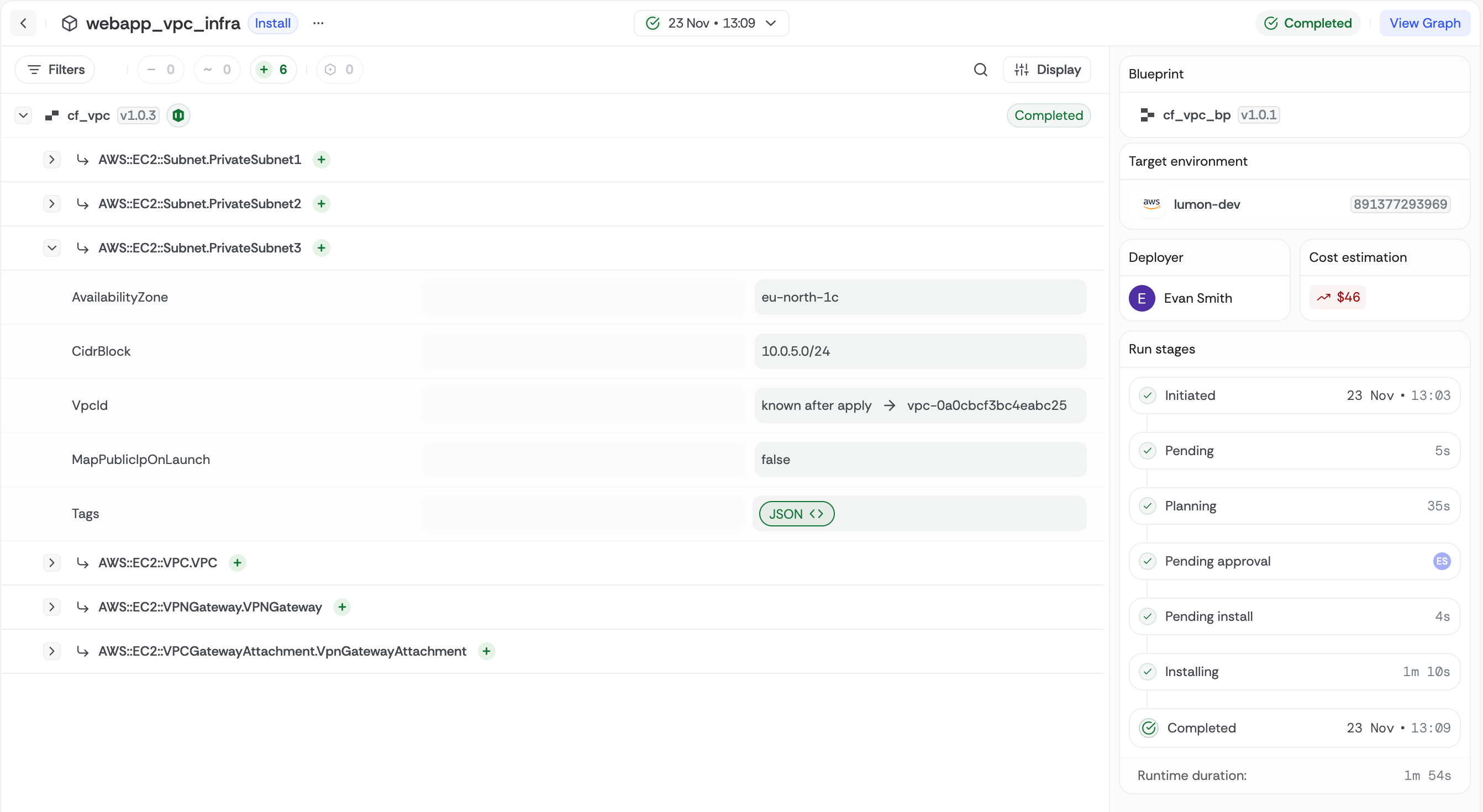
CloudFormation artifacts let you manage AWS infrastructure using native CloudFormation templates while taking advantage of Bluebricks' orchestration, collection management, and environment automation. You define AWS resources declaratively in JSON or YAML, then deploy and track those changes reliably across collections.

<figure><img src="/files/bqH2bh6bldFZ4eSskWFX" alt=""><figcaption></figcaption></figure>

<table><thead><tr><th width="164.9609375">Feature</th><th>Details</th></tr></thead><tbody><tr><td><strong>Template-driven</strong></td><td>Supports <code>bluebricks.json</code> or <code>bluebricks.yaml</code> templates</td></tr><tr><td><strong>Change-set plan</strong></td><td>Plan creates a Change Set that previews adds/updates/deletes without altering resources</td></tr><tr><td><strong>Stack apply</strong></td><td>Executes the Change Set, waits for stack completion, captures outputs</td></tr><tr><td><strong>Outputs capture</strong></td><td>Template Outputs become artifact outputs for downstream packages</td></tr><tr><td><strong>State-free</strong></td><td>CloudFormation stores state, so you don't need backend configuration</td></tr></tbody></table>

For a complete guide to how inputs and outputs work across all IaC tools, see [Inputs & Outputs](/docs/orchestration/packages/inputs-and-outputs.md).

## Required files and directory structure

A CloudFormation artifact requires a template file named `bluebricks.json` or `bluebricks.yaml`:

```
my-cfn-artifact/
├── bricks.json                    # Artifact manifest
└── template/
    └── bluebricks.json            # CloudFormation template (required name)
```

{% hint style="info" %}
The CloudFormation template **must** be named `bluebricks.json` or `bluebricks.yaml`. Other file names are not recognized.
{% endhint %}

The `native.path` field in `bricks.json` points to the **template file itself** (not the directory).

### Example template

A simple VPC template (`bluebricks.json`):

```json
{
  "AWSTemplateFormatVersion": "2010-09-09",
  "Description": "VPC infrastructure",
  "Parameters": {
    "VpcCidr": {
      "Type": "String",
      "Default": "10.0.0.0/16",
      "Description": "CIDR block for the VPC"
    },
    "Environment": {
      "Type": "String",
      "Default": "development",
      "Description": "Environment name"
    }
  },
  "Resources": {
    "VPC": {
      "Type": "AWS::EC2::VPC",
      "Properties": {
        "CidrBlock": { "Ref": "VpcCidr" },
        "EnableDnsHostnames": true,
        "Tags": [
          {
            "Key": "Name",
            "Value": { "Fn::Sub": "${Environment}-vpc" }
          }
        ]
      }
    }
  },
  "Outputs": {
    "VpcId": {
      "Description": "ID of the VPC",
      "Value": { "Ref": "VPC" }
    }
  }
}
```

## bricks.json reference

<table><thead><tr><th width="134.40234375">Field</th><th width="113.8046875">Required</th><th>Description</th></tr></thead><tbody><tr><td><strong><code>type</code></strong></td><td>Yes</td><td><code>"cloudformation"</code></td></tr><tr><td><strong><code>path</code></strong></td><td>Yes</td><td>Path to the CloudFormation template file (must be <code>bluebricks.json</code> or <code>bluebricks.yaml</code>)</td></tr><tr><td><strong><code>stack_name</code></strong></td><td>No</td><td>Custom stack name. Defaults to a sanitized version of the artifact name.</td></tr></tbody></table>

### Example bricks.json

```json
{
  "name": "vpc-infrastructure",
  "version": "0.1.0",
  "description": "VPC infrastructure",
  "native": {
    "type": "cloudformation",
    "path": "./template/bluebricks.json"
  },
  "props": {
    "VpcCidr": {
      "type": "string",
      "default": "10.0.0.0/16",
      "description": "CIDR block for the VPC"
    },
    "Environment": {
      "type": "string",
      "default": "development",
      "description": "Environment name"
    },
    "cf_stack_name": {
      "type": "string",
      "description": "Optional name for the CloudFormation stack"
    }
  },
  "outs": {
    "VpcId": {
      "type": "string",
      "description": "ID of the VPC"
    }
  }
}
```

## How to create this artifact

The only requirement is a CloudFormation template named `bluebricks.json` or `bluebricks.yaml`. Point Bluebricks at your template and it handles parameter mapping, change-set workflows, and output capture for you.

You can create a CloudFormation artifact in two ways:

* **In the Bluebricks app** during [blueprint creation](/docs/orchestration/packages/blueprints-overview/creating-blueprints.md): select your repository and the directory containing your template, and Bluebricks generates the artifact automatically
* **Via CLI**: run `bricks blueprint publish` from the directory containing your template. See [Creating Artifacts](/docs/orchestration/packages/artifacts-overview/creating-artifacts.md) for the full workflow

You can also scaffold the `bricks.json` manifest automatically using the `prepare` command:

```bash
# In-place (keeps original files)
bricks blueprint prepare --source . --iac-type cloudformation

# With output directory (copies files to a separate folder)
bricks blueprint prepare --source . --output ./dist --iac-type cloudformation
```

The `prepare` command analyzes your template, extracts Parameters as props and Outputs as outs, and generates a `bricks.json` manifest.

### Test locally

Before publishing, verify the artifact works with a local dry run:

```bash
# Plan only (creates a Change Set without applying)
bricks run . --dry

# Apply to AWS
bricks run . --apply
```

***

> The sections below explain how Bluebricks maps your code to inputs, outputs, and operations under the hood. Everything here is optional reading. To get started, head to [Creating Blueprints](/docs/orchestration/packages/blueprints-overview/creating-blueprints.md).

## Inputs

### What becomes an input

CloudFormation `Parameters` in your template map to `props` in `bricks.json`:

```yaml
Parameters:
  VpcCidr:
    Type: String
    Default: "10.0.0.0/16"
  Environment:
    Type: String
```

### How inputs are delivered at runtime

Blueprint props and secrets map directly to CloudFormation Parameters:

<table><thead><tr><th width="254.9765625">Blueprint field</th><th>Parameter example</th></tr></thead><tbody><tr><td>Prop <code>Environment = "prod"</code></td><td><code>{ "ParameterKey": "Environment", "ParameterValue": "prod" }</code></td></tr><tr><td>Secret <code>DbPassword</code></td><td><code>{ "ParameterKey": "DbPassword", "ParameterValue": "" }</code></td></tr></tbody></table>

{% hint style="info" %}
Use `NoEcho: true` on sensitive parameters in your template to hide them from the AWS console.
{% endhint %}

## Outputs

### What becomes an output

CloudFormation template `Outputs` map to `outs` in `bricks.json`:

```yaml
Outputs:
  VpcId:
    Description: ID of the created VPC
    Value: !Ref VPC
  PrivateSubnetIds:
    Value: !Join [ ",", [ !Ref SubnetA, !Ref SubnetB ] ]
```

### How outputs are captured

After a successful apply, Bluebricks calls `DescribeStacks` to retrieve all stack outputs. During planning, output keys appear as placeholders until apply sets real values.

### Referencing outputs downstream

In a blueprint, reference a CloudFormation output from another package using `Data.network_stack.VpcId` or `Data.network_stack.PrivateSubnetIds`.

## Supported operations

CloudFormation artifacts use Change Sets for safe, predictable deployments:

<table><thead><tr><th width="149.19140625">Operation</th><th>What happens</th><th>Notes</th></tr></thead><tbody><tr><td><strong>Plan</strong></td><td>Creates a Change Set (<code>bbx-plan-</code>), waits for creation, then describes it to build a JSON plan</td><td>If the stack does not exist yet, the Change Set type is CREATE</td></tr><tr><td><strong>Apply</strong></td><td>Executes the pending Change Set (or creates the stack on first run) and waits for Complete status</td><td>If the stack is in a blocked state like UPDATE_ROLLBACK_FAILED, the deploy is halted</td></tr><tr><td><strong>Plan Destroy</strong></td><td>Creates a DELETE Change Set listing every resource that will be removed</td><td>Output list is empty</td></tr><tr><td><strong>Apply Destroy</strong></td><td>Deletes the stack and waits for DeleteComplete; outputs and state are cleared</td><td>Only one Change Set per deploy prevents concurrent modifications</td></tr></tbody></table>

## Best practices

* Keep templates focused: one stack per artifact; compose multiple stacks with exports if needed
* Use Parameters for environment-specific data; avoid hard-coding ARNs or IDs
* Tag resources in the template's `Tags` section for cost and compliance reporting
* Use `DeletionPolicy: Retain` on data resources if you don't want them deleted with the stack
* Mark sensitive outputs appropriately or avoid emitting secrets via `Outputs`


---

# Agent Instructions: Querying This Documentation

If you need additional information that is not directly available in this page, you can query the documentation dynamically by asking a question.

Perform an HTTP GET request on the current page URL with the `ask` query parameter:

```
GET https://bluebricks.co/docs/orchestration/packages/artifacts-overview/cloudformation.md?ask=<question>
```

The question should be specific, self-contained, and written in natural language.
The response will contain a direct answer to the question and relevant excerpts and sources from the documentation.

Use this mechanism when the answer is not explicitly present in the current page, you need clarification or additional context, or you want to retrieve related documentation sections.
