> For the complete documentation index, see [llms.txt](https://bluebricks.co/docs/llms.txt). Markdown versions of documentation pages are available by appending `.md` to page URLs; this page is available as [Markdown](https://bluebricks.co/docs/orchestration/bluebricks-git-repository-guide/managing-infrastructure-as-code-on-git.md).
# Managing Infrastructure-as-Code on Git
Automate blueprint version bumping, publishing, and updates through Git-based CI workflows using Bricks Action
By integrating with Bricks Action, teams can automate Blueprint management commands (such as `bp bump` and `bp publish`) to the CI workflow, allowing them to **focus on coding modules** while optimizing collaboration and automation.
Bluebricks recommends triggering the `updateci` command when a Pull Request (PR) is opened and approved or when a Git tag is assigned (e.g., for versioning).
## Recommended Workflow Described
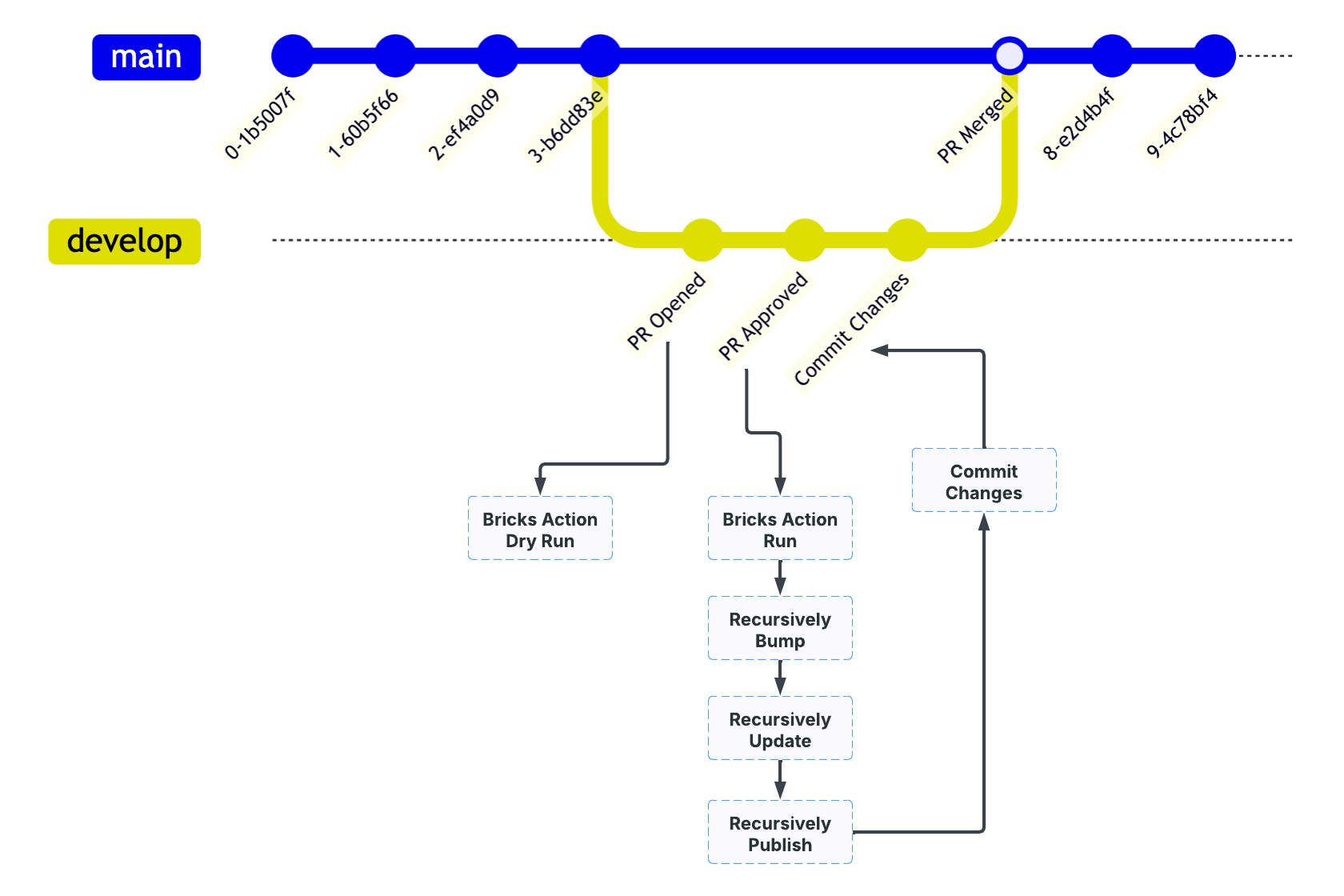
Below is a suggested opinionated workflow that can be modified according to the team's needs:
1. Each PR Open event creates a dependency validation and preview changes which are being added to the PR as a comment
2. On PR Approve event, Bircks Action will bump versions, update the blueprints and publish recursively
3. Once the publish is completed, Bricks Action will update the PR with another commit, including the new versions.
4. On a merge event, Bricks Action won't take any action.
{% hint style="info" %}
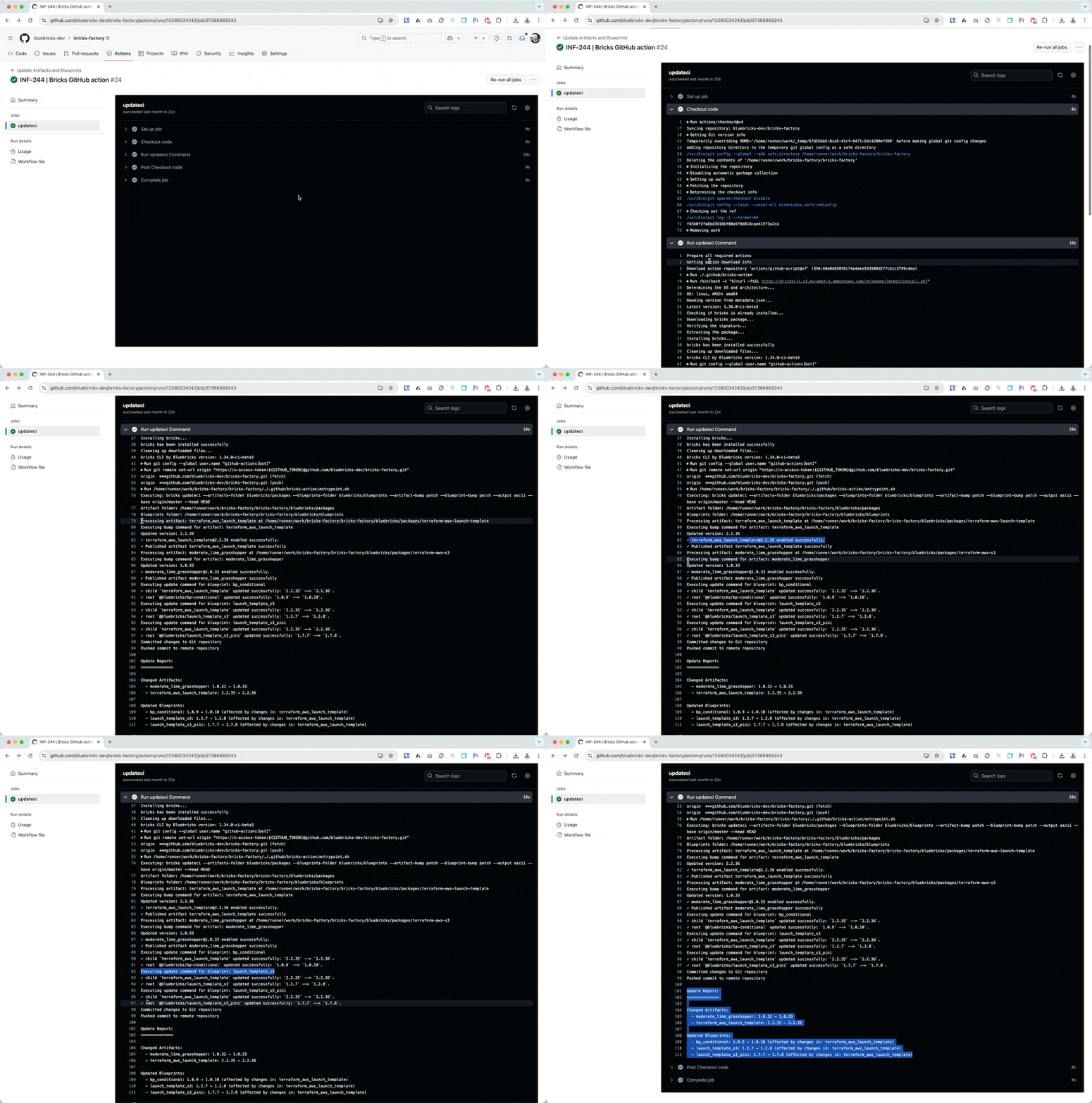
**Attention:** The `updateci` command **automatically commits version updates** once the **Blueprint/Artifact is published**.
This ensures that:\
✅ **Version changes are tracked** in Git.\
✅ **Consistency is maintained** across CI/CD workflows.\
✅ **Automation remains seamless** without manual intervention.
Teams can integrate `updateci` into their **CI/CD pipelines** to streamline **Blueprint versioning and publishing**. 🚀
{% endhint %}
## Action File Example
```
name: 'Update Artifacts and Blueprints'
on:
pull_request:
types: [opened, synchronize, reopened]
pull_request_review:
types: [submitted]
permissions:
id-token: write
contents: write
pull-requests: write
jobs:
updateci:
runs-on: ubuntu-latest
if: |
(github.event_name == 'pull_request') ||
(github.event_name == 'pull_request_review' && github.event.review.state == 'approved')
steps:
- name: Checkout code
uses: actions/checkout@v4
with:
fetch-depth: 0
persist-credentials: false
ref: ${{ github.event.pull_request.head.ref }} # This is the PR branch
- name: Run updateci Command
uses: bluebricks-co/bricks-action@main
with:
command: 'updateci'
artifacts-folder: 'bluebricks/packages'
blueprints-folder: 'bluebricks/blueprints'
artifact-bump: 'patch'
blueprint-bump: 'patch'
base: 'origin/master'
api-key: ${{ secrets.BRICKS_API_KEY }}
config-file: ${{ github.workspace }}/config-dev.yaml
flags: ${{ github.event_name == 'pull_request' && '--dry' || '' }}
env:
GITHUB_TOKEN: ${{ secrets.GITHUB_TOKEN }}
```